Loading...
Contents
15 ATS Resume Tips That Increase Interview Chances in 2026
Jul 10, 202624 min readUpdated Oct 5, 2026
The best ATS resume tips are to use a simple single-column layout, standard section headings, and ATS-friendly fonts. Match keywords from the job description, quantify your achievements, save your resume as a clean DOCX file, and test it with an ATS Resume Checker before submitting any application.
If you want to know how to make your resume ATS friendly, the short answer is simple: format for the software first, then the recruiter. Most companies today rely on an Applicant Tracking System to collect, sort, and rank applications before a human ever opens your resume. If your formatting, keywords, or structure trip up that system, a strong candidate can end up invisible, no matter how good the experience section looks.
The good news is that ATS optimization isn't complicated once you know what to fix. In this guide, you'll get 15 practical, easy-to-apply ATS resume tips covering formatting, keywords, structure, and testing. These are the exact changes that help your resume get parsed correctly and actually reach a recruiter's desk in 2026.
FREE TO USE
25K+ INTERVIEWS4.8★ RATING68% IMPROVEMENT
Crack Your Dream Job
Real Interviews. Real Pressure. Practice until it feels easy.
- Seamless Interview Experience
- Resume & JD Questions
- Instant Personalized Feedback
What Are the Best ATS Resume Tips?
If you only have five minutes, here's the core of it:
- Use a simple, single-column resume layout.
- Match keywords from the job description, not just synonyms.
- Use standard section headings like "Work Experience" and "Skills."
- Avoid tables, graphics, icons, and text boxes.
- Choose ATS-friendly fonts like Arial or Calibri.
- Quantify your achievements with real numbers.
- Test your resume with an ATS Resume Checker before applying.
The full list below breaks down all 15 tips in detail, with common mistakes and examples for each.
Why Does ATS Optimization Matter in 2026?
Online hiring has grown to a point where nearly every mid-size and large company receives more applications per role than any recruiting team could realistically read manually. To manage that volume, companies rely on ATS platforms to collect, organize, and search resumes automatically.
An ATS doesn't just store your resume. It parses the text into structured fields (name, job titles, dates, skills) and lets recruiters search that database using keywords tied to the job posting. When a recruiter searches for a specific skill or title, resumes that match closely and were parsed correctly surface first.
This is why ATS optimization matters: it's not about tricking the system or gaming a score. It's about making sure your resume is readable and discoverable in the first place. A perfectly qualified candidate with a poorly formatted resume can get buried simply because the ATS couldn't parse it correctly or couldn't find the right keywords.
It's also worth being clear about what optimization does and doesn't do. Formatting your resume well and using the right keywords increases the odds that a recruiter finds and reads your resume. It doesn't guarantee an interview. Your experience and qualifications still have to hold up once a human is looking at it. Think of ATS optimization as removing an unnecessary obstacle, not as a shortcut around the actual hiring decision.
What Are the Latest Resume & ATS Statistics Job Seekers Should Know in 2026?
| Statistic | Data Point |
|---|---|
| Fortune 500 companies using an ATS | ~98–99% |
| Large employers (1,000+ employees) using an ATS | ~80–89% |
| Average applications received per corporate job posting | 250+ |
| Applicants who receive an interview invitation | 2–3% |
| Resumes rejected by ATS before a human sees them | ~75% |
| Recruiters who use keyword search inside their ATS | 99.7% |
| Resumes rejected due to formatting issues alone | ~70% |
| Employers who believe ATS filters out qualified candidates | 88% |
| Single-column resume parsing accuracy | ~93% |
| Two-column resume parsing accuracy | ~86% |
| Plain DOCX resume parsing failure rate | ~4% |
| Complex PDF resume parsing failure rate | Up to 18% |
What These Numbers Mean for You
The odds are stacked before you even apply. With 250+ applications per posting and only 2–3% converting to interviews, every avoidable mistake matters more than it would in a less competitive market.
Keyword matching isn't optional. With virtually all recruiters using keyword search, a resume that doesn't mirror the job description's language may never surface, even if your experience is a strong match.
Formatting failures are self-inflicted. Roughly 7 in 10 rejected resumes fail because of formatting, not qualifications. This is the single most fixable problem on this list, and it's why several of the tips below focus on layout and structure.
Layout choices have a measurable cost. The parsing accuracy gap between single-column and two-column resumes (93% vs. 86%) is a direct, quantifiable reason to skip the "designed" template in favor of something simpler.
File format is a real variable, not a minor detail. A clean DOCX file parses far more reliably than a complex PDF. It's a small decision that can meaningfully change your odds.
What Are the 15 ATS Resume Tips That Increase Interview Chances?
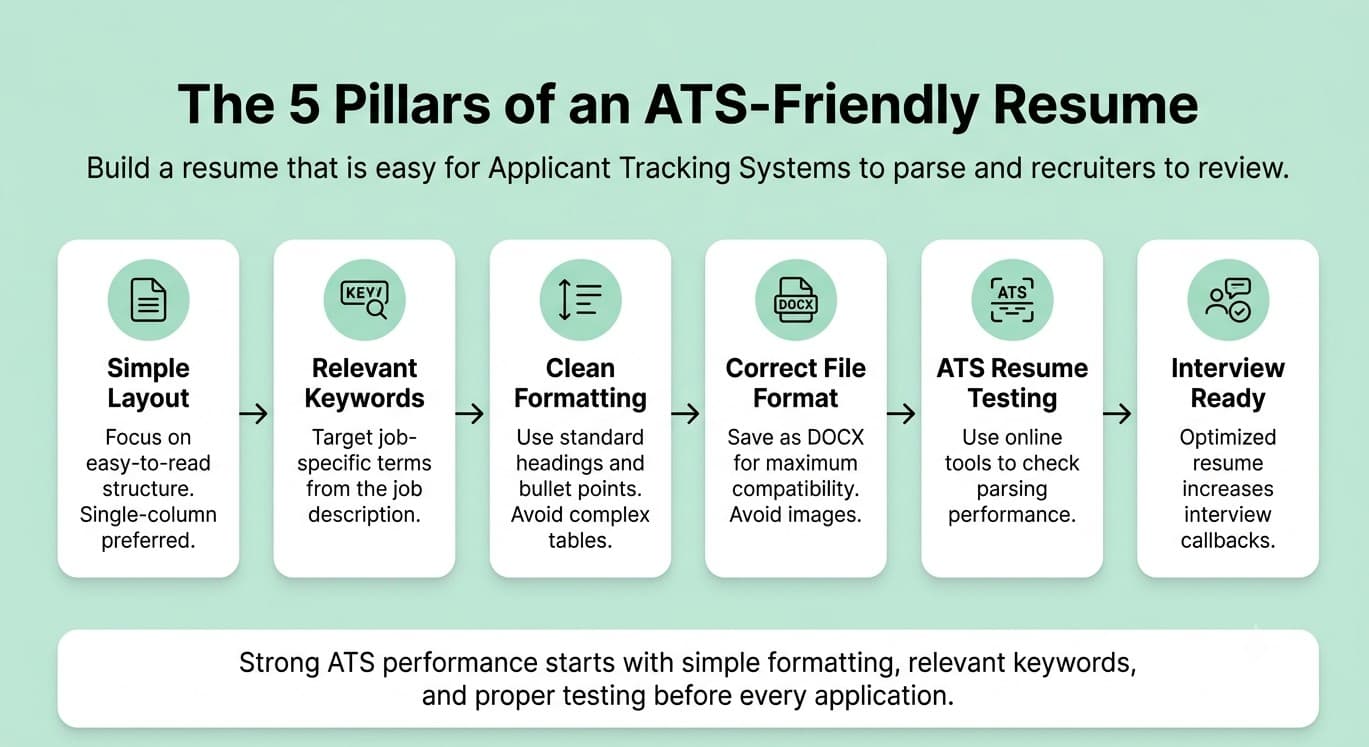
1. Use a Simple Resume Layout
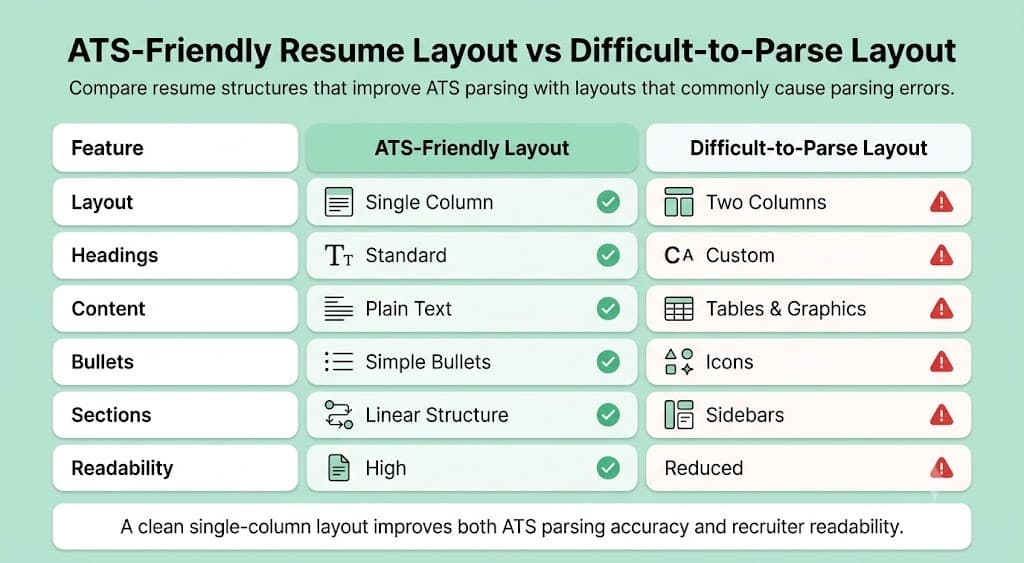
Why it matters: ATS software reads resumes in a single linear stream. A clean, single-column layout is far more likely to be parsed accurately than a designed, multi-section template.
Common mistake: Choosing a visually impressive template with sidebars, columns, or graphic elements because it "looks professional."
Best practice: Stick to a single-column format with clear section breaks and consistent spacing.
Example: Instead of a two-column layout with your skills in a sidebar, list your skills in a simple bulleted section within the main body of the resume.
2. Customize Your Resume for Every Job Description
Why it matters: ATS platforms rank resumes based on how closely they match a specific job posting, not how strong they are in general.
Common mistake: Sending the exact same resume to every job, regardless of how the role is described.
Best practice: Adjust your summary, skills section, and keyword emphasis for each application based on the specific posting.
Example: If one posting says "Project Manager" and another says "Program Manager," reflect the exact title used in that posting where it accurately describes your role.
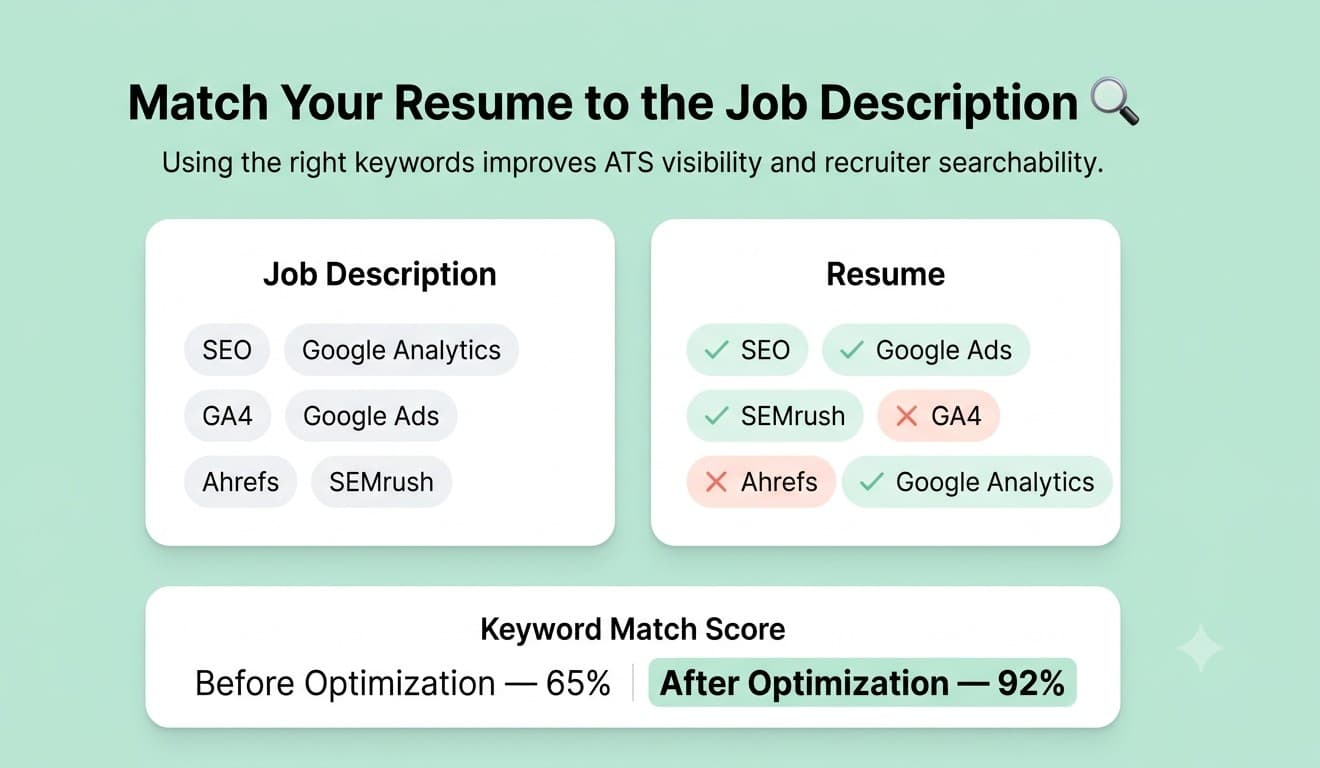
3. Include Relevant Resume Keywords Naturally
Why it matters: Since nearly all recruiters search their ATS by keyword, missing the right terms can mean your resume never appears in a relevant search.
Common mistake: Keyword stuffing, meaning repeating terms unnaturally just to increase density, which can make the resume harder to read and look spammy.
Best practice: Pull key terms directly from the job description and weave them into your experience bullets and skills section where they genuinely apply.
Example: If the posting lists "Google Analytics" and "SEO," make sure both terms appear exactly as written, not just as a general mention of "mark
eting tools."
4. Use Standard Resume Headings
Why it matters: ATS software is trained to recognize conventional section headings. Creative labels can confuse the parser and cause it to miscategorize your content.
Common mistake: Using headings like "My Journey" or "What I Bring to the Table" instead of standard terms.
Best practice: Use clear, conventional headings: Work Experience, Education, Skills, Certifications, Summary.
Example: Replace "Where I've Been" with "Work Experience." The content is the same, but the parser recognizes it correctly.
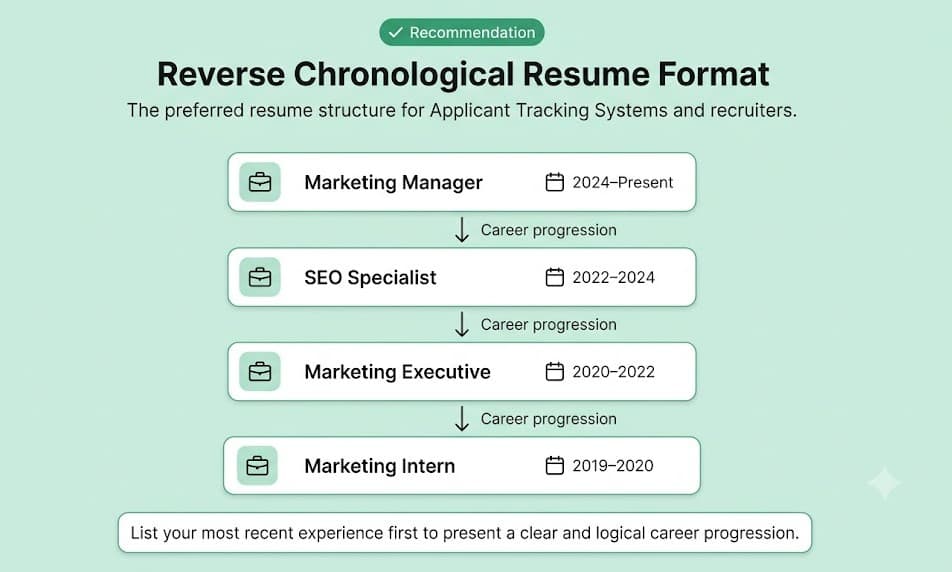
5. Choose ATS-Friendly Fonts
Why it matters: Unusual or decorative fonts can render incorrectly or fail to parse cleanly, distorting the text an ATS extracts.
Common mistake: Using stylized or script fonts to make the resume stand out visually.
Best practice: Stick to standard, widely supported fonts like Arial, Calibri, Georgia, or Times New Roman, in a readable size (10–12pt for body text).
Example: A decorative font might look sharp in Canva, but once parsed, letters can be misread or spacing can break. Stick to something simple.
6. Avoid Graphics, Icons, Tables, and Text Boxes
Why it matters: These elements are among the most common causes of ATS parsing errors, since the software can't reliably extract content placed inside them.
Common mistake: Using a skill-rating graphic, icons next to contact details, or a table to organize work history.
Best practice: Replace all visual elements with plain text. Use simple bullet points instead of icons or tables.
Example: Instead of a five-star graphic showing "Excel proficiency," simply list "Advanced Excel (pivot tables, VLOOKUP, macros)" as a text bullet.
7. Use Reverse Chronological Format
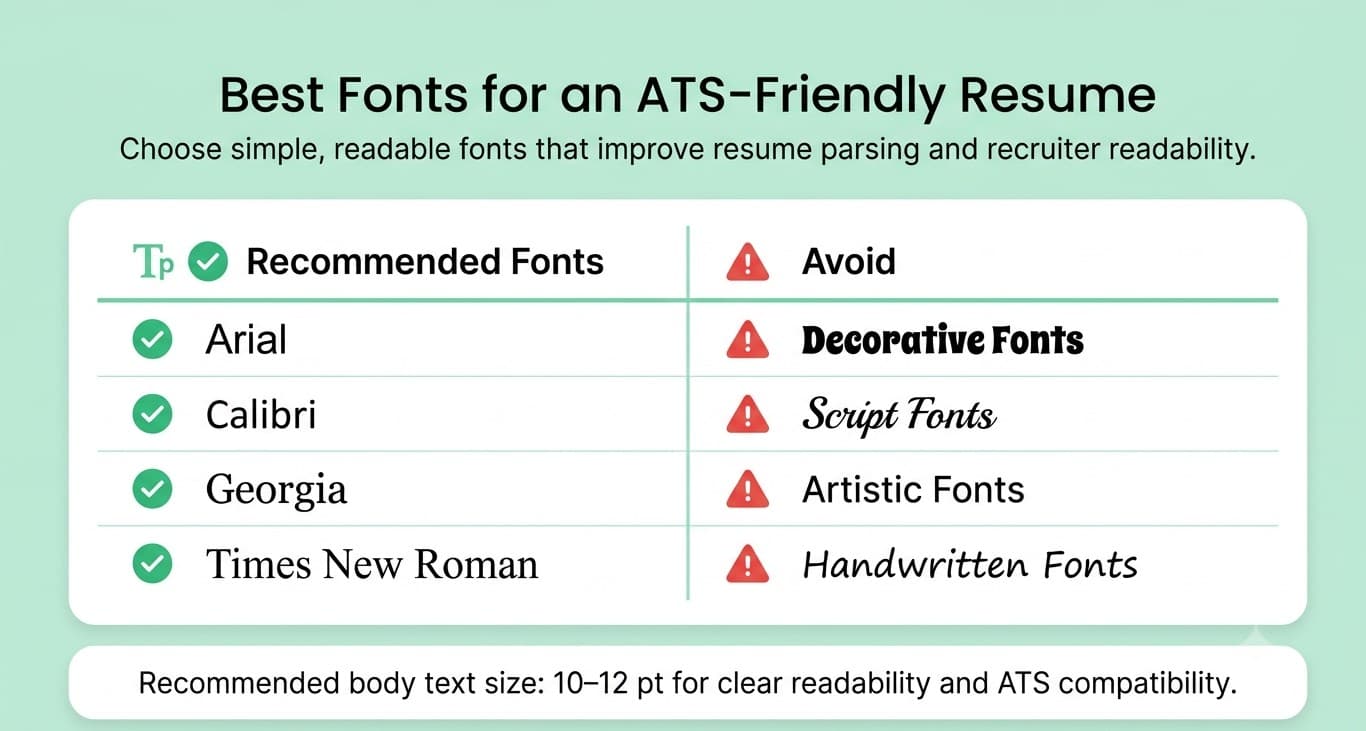
Why it matters: This is the format ATS platforms and recruiters are most familiar with, making it easier to parse your career progression accurately.
Common mistake: Using a functional or skills-based format that groups experience by theme rather than by date, which can confuse both the parser and the recruiter.
Best practice: List your most recent role first, followed by previous roles in descending order, with clear start and end dates.
Example: "Marketing Manager, ABC Corp (2023–Present)" listed above "Marketing Associate, ABC Corp (2021–2023)."
8. Quantify Your Achievements
Why it matters: Numbers make your impact concrete and help your resume stand out once a human recruiter reviews it. Specific metrics often double as relevant keywords too.
Common mistake: Writing vague statements like "Responsible for improving sales" without any measurable detail.
Best practice: Attach a number, percentage, or timeframe to your achievements wherever possible.
Example: "Increased quarterly sales by 24% within 6 months by restructuring the outreach process."
9. Write a Strong Professional Summary
Why it matters: Your summary is often the first section both the ATS and the recruiter scan, and it's prime real estate for your most important keywords.
Common mistake: Using a generic, one-size-fits-all summary that doesn't mention the target role or industry.
Best practice: Write a 2–3 sentence summary that includes your job title, years of experience, and 2–3 core skills relevant to the specific posting.
Example: "Digital marketing specialist with 5 years of experience in SEO, content strategy, and paid campaigns, focused on driving organic growth for SaaS companies."
10. Optimize Your Skills Section
Why it matters: A dedicated skills section gives the ATS a clean, scannable list of keywords separate from your experience bullets.
Common mistake: Omitting a skills section entirely, or burying skills only within paragraph-style experience descriptions.
Best practice: Create a clearly labeled "Skills" section with 8–12 relevant hard and soft skills, pulled directly from the job description where accurate.
Example: A skills section listing: "SQL, Google Analytics, A/B Testing, Cross-functional Collaboration, Budget Management."
11. Use Consistent Formatting Throughout
Why it matters: Inconsistent formatting (mismatched date formats, uneven spacing, inconsistent bullet styles) can confuse parsing and looks unpolished to a human reviewer.
Common mistake: Switching between date formats (e.g., "Jan 2022" in one section and "01/2022" in another) or inconsistent bullet styles.
Best practice: Pick one date format, one bullet style, and one font throughout the entire document, and apply it consistently.
Example: Use "MM/YYYY – MM/YYYY" consistently across every role listed, rather than mixing formats.
12. Save Your Resume in the Right File Format
Why it matters: Not every ATS parses file types equally well, and the wrong format can introduce parsing errors even with perfect content.
Common mistake: Assuming PDF is always safe, especially when it's exported from a heavily designed template.
Best practice: Use a clean DOCX file unless the job posting specifically requests PDF. If submitting a PDF, make sure it's a simple, text-based export.
Example: Save your final resume as "FirstName_LastName_Resume.docx" rather than a design-tool export with embedded graphics.
13. Proofread for Spelling and Grammar Errors
Why it matters: While most ATS platforms don't penalize grammar directly, typos can distort keyword matching (a misspelled skill won't be recognized) and hurt your credibility with the recruiter who eventually reviews it.
Common mistake: Relying solely on spellcheck, which often misses context-specific errors or incorrect terminology.
Best practice: Read your resume aloud, use a grammar tool, and ask someone else to review it before submitting.
Example: "Managed a team of 5 sales reps" reads very differently, and parses very differently, than a typo like "Managed a team of 5 sale reps."
14. Keep Your Resume Relevant and Concise
Why it matters: Padding your resume with outdated or irrelevant experience dilutes your keyword relevance and makes it harder for both the ATS and the recruiter to see your strongest qualifications.
Common mistake: Including every job you've ever had, regardless of relevance, or letting the resume run to 3–4 pages.
Best practice: Keep your resume to 1–2 pages and prioritize experience most relevant to the role you're applying for.
Example: For a mid-career applicant, older or unrelated roles from 10+ years ago can often be trimmed to a single line or removed entirely.
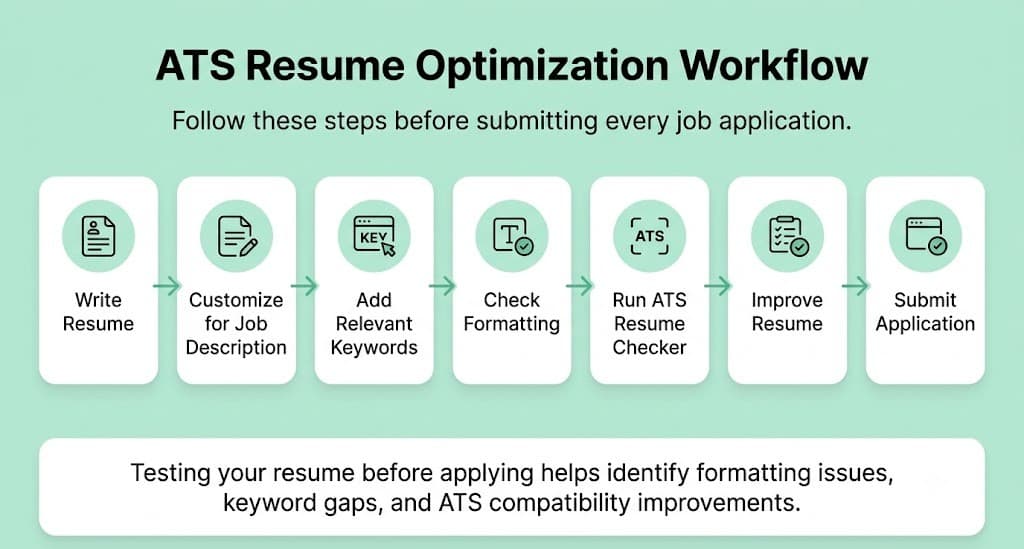
15. Test Your Resume with an ATS Resume Checker Before Applying
Why it matters: All of the tips above matter far less if you don't actually verify how your resume performs once it's uploaded into a real ATS.
Common mistake: Assuming your resume is ATS-friendly just because it looks clean on screen or in Word.
Best practice: Run your resume through the Mocklingo ATS Resume Checker before every round of applications. Review the compatibility score, keyword analysis, and formatting suggestions, then fix any flagged issues before you submit. For a deeper walkthrough, see our guide on how to check if your resume is ATS friendly.
Example: A resume that scores 55% before testing might jump to 85%+ after fixing flagged formatting issues and adding two or three missing keywords. These are changes that take minutes but can meaningfully change your odds of getting noticed.
FREE TO USE
8k+ SESSIONS92% FLUENCY4.9★ RATING
Speak With Confidence
Real Conversations. Real Scenarios. Speak until it feels natural.
- Real-Time Speaking Practice
- Guided Conversation Flows
- Instant AI Feedback
What Should Be on Your ATS Resume Checklist Before You Apply?
Run through this list before submitting any application, or check it automatically with the Mocklingo ATS Resume Checker:
- ✓ Standard section headings used throughout
- ✓ Relevant keywords pulled from the job description
- ✓ No graphics, icons, or embedded images
- ✓ ATS-friendly font (Arial, Calibri, Georgia, Times New Roman)
- ✓ Reverse chronological work experience order
- ✓ Correct file format (DOCX unless PDF is requested)
- ✓ No spelling or grammar errors
- ✓ Contact information included in the main body, not the header/footer
- ✓ Resume tested with an ATS Resume Checker before submission
What Are the Most Common ATS Mistakes to Avoid?
- Keyword stuffing: Repeating terms unnaturally to boost density, which can hurt readability and flag as spammy.
- Fancy templates: Choosing visually striking designs over simple, parseable layouts.
- Using images: Including a headshot, icons, or graphics that an ATS can't read.
- Over-designing: Adding colors, borders, and decorative elements that add visual noise without adding parseable content.
- Missing measurable achievements: Writing vague responsibility statements instead of quantified results.
- Generic resumes: Sending the same resume to every job without tailoring keywords or summary.
- Incorrect file formats: Submitting a design-tool PDF export instead of a clean, text-based document.
For a full breakdown of what tends to trip candidates up beyond formatting, see Common Resume Mistakes.
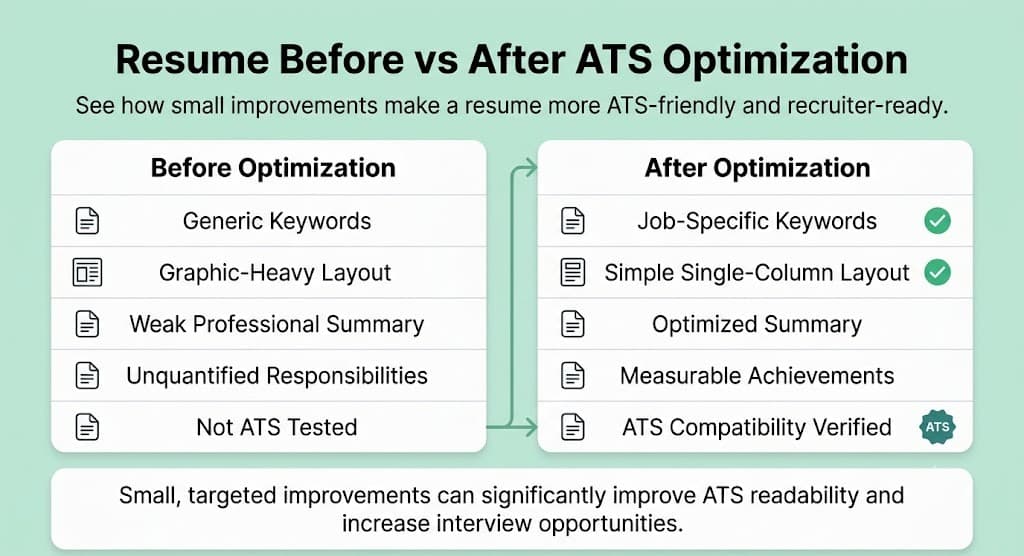
What Does a Resume Look Like Before vs. After ATS Optimization?
| Before Optimization | After Optimization |
|---|---|
| Generic keywords | Job-specific keywords pulled from the posting |
| Graphic-heavy layout | Simple, single-column ATS-friendly layout |
| Weak, generic summary | Optimized summary with role-specific keywords |
| No measurable achievements | Quantified results with real numbers |
| No ATS testing | Resume tested and scored with an ATS checker |
Small, targeted changes across these five areas are often the difference between a resume that gets lost in the system and one that reaches a recruiter's desk.
How Does Mocklingo's ATS Resume Checker Help?
Once you've applied these tips, the fastest way to confirm they've actually worked is to test your resume the way a real ATS would read it.
The Mocklingo ATS Resume Checker analyzes your resume and gives you:
- An ATS compatibility score, based on how accurately your resume would parse in a real system
- Keyword suggestions, comparing your resume against a specific job description
- Formatting feedback, flagging tables, columns, graphics, or other elements that risk parsing errors
- Resume improvement recommendations, so you know exactly what to fix and why
Rather than guessing whether your resume is ATS-friendly, you get a clear, specific breakdown you can act on before you submit your next application.
Conclusion
ATS optimization isn't about gaming the system. It's about making your resume easy for software to parse and easy for recruiters to find. Most of the changes covered in this guide are small: a simpler layout, the right keywords, standard headings, a clean file format. But together, they can meaningfully change whether your resume even reaches a human reviewer.
Before you send out your next application, take a few minutes to check your resume against the tips above. Better yet, test it directly. Run your resume through Mocklingo ATS Resume Checker to identify keyword gaps, formatting issues, and ATS compatibility improvements before you submit your next application. Once it passes, put in a practice round with Mocklingo's AI mock interview tool so you're ready for what comes next.