Loading...
Contents
Top 15 Web Development Projects for Beginners
Build a Strong Developer Portfolio
May 13, 202631 min readUpdated Oct 8, 2026
Here is a problem almost every beginner developer runs into. You have been learning HTML, CSS, and JavaScript for a few months. You feel like you understand the basics. But when someone asks you to show your work, you freeze. Because all you have is a folder full of half-finished tutorial projects that you followed along with, line by line, without really understanding why. That is not a portfolio. That is practice material. A real developer portfolio needs real projects. Projects that you built to solve a problem. Projects that show you can think, not just copy. The good news is that you do not need five years of experience to build something worth showing. You just need to build the right things, in the right order, with the right approach. This blog is going to walk you through the top web development projects for beginners that actually work in portfolios. We will explain what to build, what you will learn from it, and why a recruiter will care about it.
FREE TO USE
25K+ INTERVIEWS4.8★ RATING68% IMPROVEMENT
Crack Your Dream Job
Real Interviews. Real Pressure. Practice until it feels easy.
- Seamless Interview Experience
- Resume & JD Questions
- Instant Personalized Feedback
What Makes a Project Portfolio-Worthy?
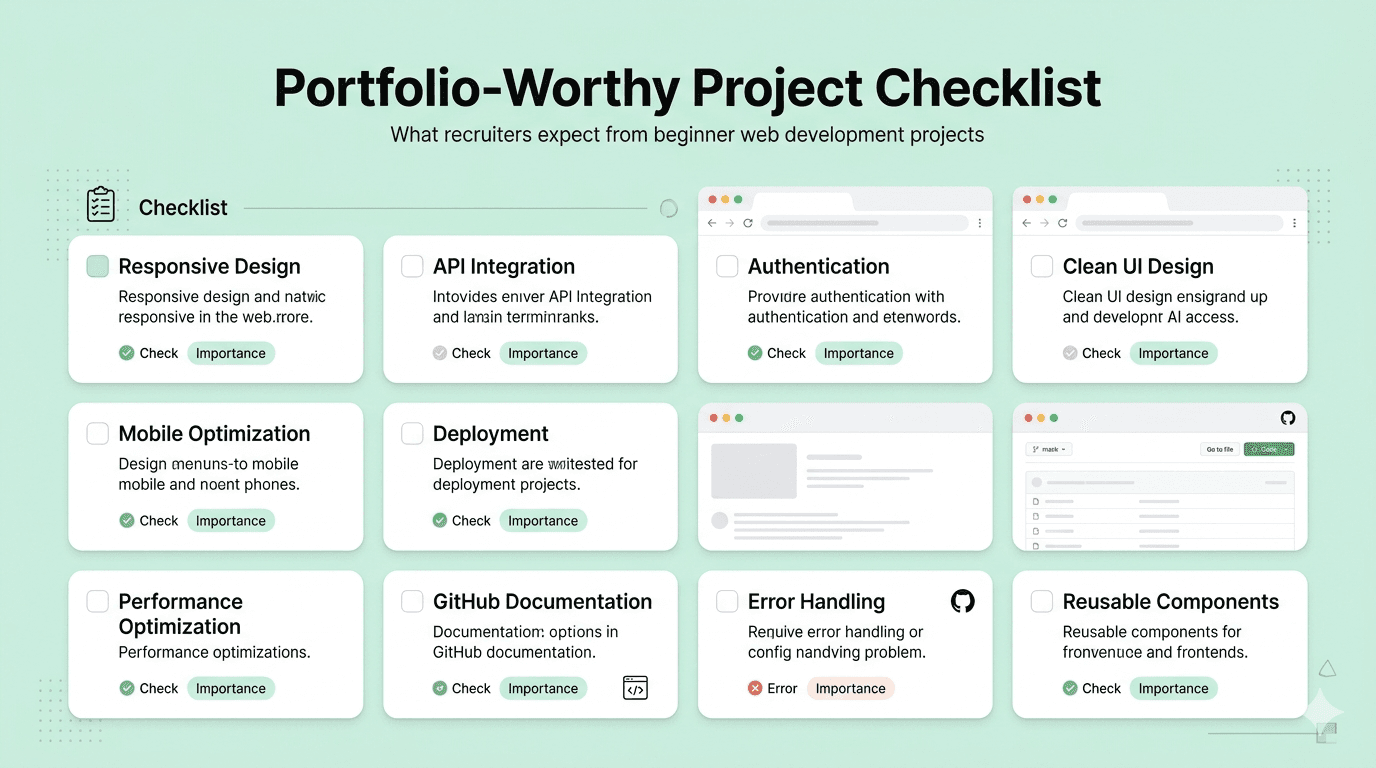
Not every project deserves a spot in your portfolio. Here is the simple test. A project belongs in your portfolio if it does at least one of the following things: It solves a real problem, even a small one. It shows a skill that is relevant to the jobs you want. It is deployed live and works without crashing. It has clean code on GitHub with a proper README. It is something you can actually explain and defend in an interview. A project does NOT belong in your portfolio if it is a direct tutorial clone you followed step by step. If you cannot explain a single decision you made while building it, it is not ready. Now let us get into the actual projects.Also read: How to Build a Web Dev Portfolio
Why Tutorial Projects Do Not Work in a Portfolio
Before we talk about what to build, let us talk about what not to put in your portfolio. And the biggest culprit is tutorial projects. You have probably followed along with a YouTube video or an online course where you built something step by step. A to-do app. A landing page. A basic CRUD app. You typed every line of code the instructor wrote. You got it working. And it felt great. But here is the problem. You did not actually build that. You copied it. A recruiter who opens your GitHub and sees a repo named "Udemy React Course Project" knows immediately that this is not your work. It is someone else's idea, someone else's design, and someone else's code that you reproduced by following instructions. There is nothing wrong with doing that while you are learning. But it has no place in a portfolio. Tutorial projects also fail in interviews. When a recruiter asks "walk me through this project," you need to explain every decision you made. Why did you structure the components this way? Why did you choose this API? What problem were you trying to solve? If your honest answer is "because the instructor told me to," the interview is over. The other issue is that most tutorials skip the hard parts. They do not show you how to handle errors. They do not add loading states. So the finished product does not reflect real-world quality even if you completed it perfectly. The fix is simple. Take the idea from a tutorial if you need a starting point, but change at least three things. Add a feature the tutorial did not cover. Redesign the UI yourself. Connect it to a different API. Make one decision that is entirely yours. That act of ownership is what turns a tutorial clone into a portfolio project.
The Top Web Development Projects for Beginners
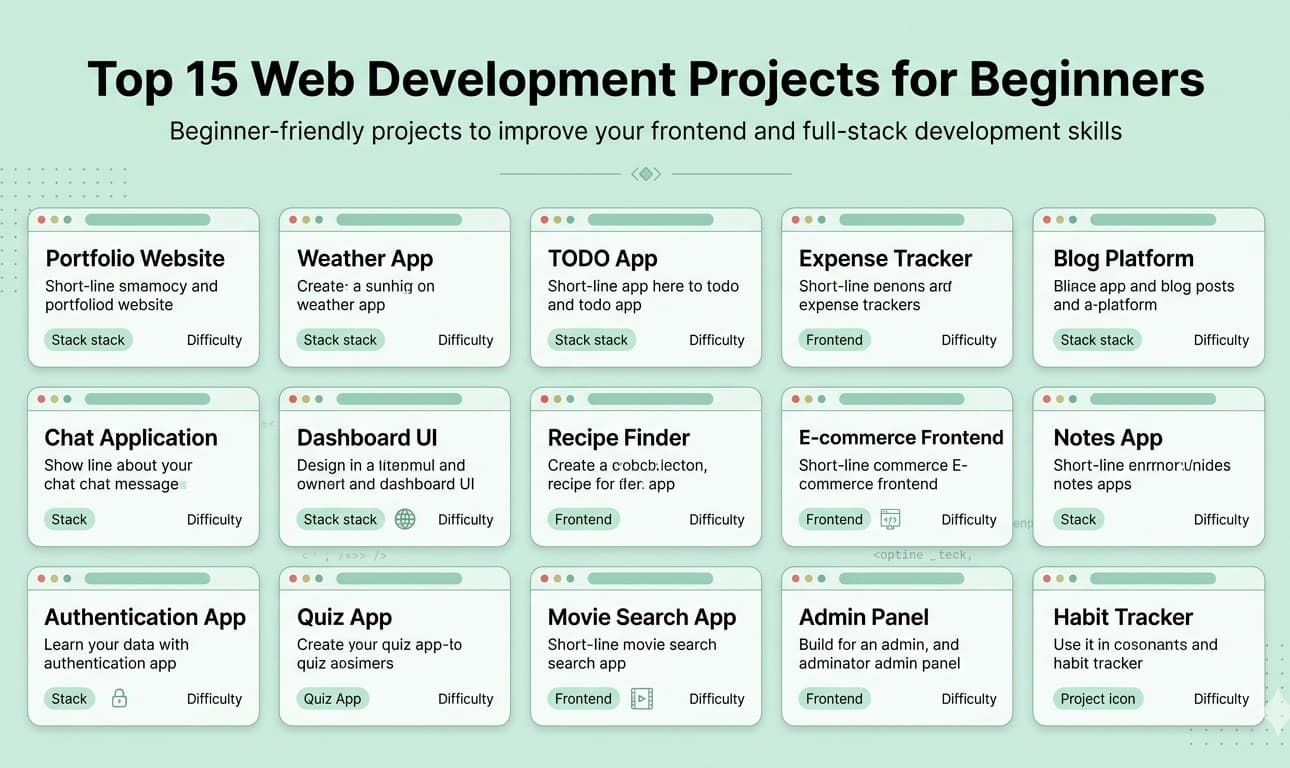
Let us start with the obvious one, because most beginners skip making it good. Your portfolio website is itself a project. It is the first thing a recruiter sees before they see anything else. If it loads slowly, breaks on mobile, or looks like a free template you found online and barely changed, that is the first impression you give. Build your portfolio from scratch. Use HTML, CSS, and a bit of JavaScript. Focus on making it fast, clean, and easy to read. Add your name, your role, your projects, and a clear contact section. What you will learn from this project: responsive layouts, CSS Flexbox and Grid, basic animations, performance basics, and how to deploy a site. Why recruiters care: Your portfolio website is a front end test you are giving yourself. A slow, broken, or unreadable portfolio tells them everything they need to know. Skills covered: HTML5, CSS3, JavaScript, Responsive Design, Deployment on Netlify or GitHub Pages. This is one of the best beginner projects for developer portfolios because it teaches you something real: how to connect your frontend to the outside world. Build a weather app that lets users type in a city name and see the current temperature, weather condition, and maybe a five-day forecast. Use the OpenWeatherMap API, which has a free tier that is more than enough for this project. What you will learn: How to make API calls using JavaScript fetch. How to handle loading states. How to show error messages when something goes wrong. How to display dynamic data inside HTML. Why recruiters care: Fetching and displaying external data is literally what most frontend jobs involve every single day. A working weather app shows you understand the fundamentals of how modern web applications work. Skills covered: JavaScript, REST APIs, fetch or Axios, async and await, error handling, DOM manipulation. This project sits at the sweet spot between simple enough to finish and complex enough to be impressive. Build an app where users can add expenses, give them a category, and see their total spending. Show a running total and let users delete entries. Use localStorage to save the data so it persists when the page refreshes. What you will learn: CRUD operations (Create, Read, Update, Delete) which are the foundation of almost every real app. State management in vanilla JavaScript. Working with browser localStorage. Dynamic UI updates without page reloads. Why recruiters care: CRUD is the backbone of most web applications. An expense tracker proves you understand how data moves through an interface. Skills covered: JavaScript, localStorage, DOM manipulation, state management basics, CSS for simple UI design. This one is always a hit and it shows real personality as a developer project portfolio piece. Build an app where a user types in a GitHub username and sees their profile information. Show their avatar, name, bio, number of repositories, followers, and a list of their most recent repositories. Use the free GitHub REST API. What you will learn: More advanced API usage. Displaying nested data from API responses. Building search functionality. Handling cases where a user does not exist. Why recruiters care: This project is very close to the kind of tools companies build internally. It is practical, it is real, and it shows you can read API documentation and implement it on your own. Skills covered: JavaScript, GitHub REST API, fetch, async await, error handling, responsive card layouts. A quiz app sounds simple. And building the basic version is simple. But building it well teaches you a lot more than you expect. Build a multiple choice quiz on any topic you like. Show questions one at a time. Let users pick an answer and move to the next question. At the end, show the score. Add a timer if you want an extra challenge. What you will learn: Managing state across multiple steps. Handling user input and conditional logic. Arrays, loops, and objects in JavaScript. Building a multi-step experience in a single page application. Why recruiters care: Almost every interactive web product has multi-step flows. Forms, checkout processes, onboarding wizards. A quiz app is the beginner version of all of those. Skills covered: JavaScript arrays and objects, conditional logic, state management, basic CSS animations for transitions. This is one of those beginner developer portfolio projects that looks more impressive than it is hard to build. Use the Spoonacular API or the MealDB API (both have free tiers) to let users search for recipes by ingredient or meal name. Show results in a clean card layout. Let users click a recipe to see the full instructions and ingredients. What you will learn: Searching and filtering data from an API. Building card-based UI layouts. Handling loading and empty states. Routing between a list view and a detail view. Why recruiters care: Search plus detail view is one of the most common UI patterns in the world. Every e-commerce site, news app, and content platform uses it. Showing you can build it cleanly is directly relevant to jobs. Skills covered: API integration, search and filter logic, CSS card layouts, basic routing with JavaScript or a framework. This one is more technical and will appeal to employers looking for developers with attention to detail. Build a two-panel editor. On the left, the user types in Markdown syntax. On the right, they see a live rendered preview that updates as they type. Use a library like Marked.js to handle the Markdown parsing. What you will learn: Working with third-party libraries. Real-time input handling with JavaScript events. Two-panel split layouts in CSS. Understanding how content rendering works. Why recruiters care: Markdown editors are used inside dozens of real products. Notion, GitHub, dev.to, Hashnode. Building one shows you understand live data binding and interface synchronisation. Skills covered: JavaScript events, third-party libraries, split-panel CSS layouts, real-time DOM updates. Here is a project idea that solves a problem you are personally experiencing right now as a job seeker. Build a simple Kanban-style tracker where you can add job applications and move them through stages: Applied, Interview Scheduled, Offer Received, Rejected. Let users add notes to each card. Save everything with localStorage. What you will learn: Drag-and-drop interactions using JavaScript or a library. Column-based layout with CSS Grid or Flexbox. Managing complex states across multiple categories. Persisting data locally. Why recruiters care: Kanban boards and project trackers are one of the most popular product categories. Building one shows product thinking, UI design sense, and JavaScript capability together. Skills covered: JavaScript, CSS Grid, drag and drop, localStorage, state management across columns. Simple idea. Meaningful execution. Build a timer app based on the Pomodoro technique: 25 minutes of work, followed by a five-minute break. Show a countdown timer. Let users start, pause, and reset. Play a sound when the timer ends. Keep track of how many Pomodoro sessions the user has completed. What you will learn: JavaScript timers using setInterval and clearInterval. Updating the DOM every second. Managing multiple states (running, paused, break mode). Working with browser audio. Why recruiters care: Timer-based apps test a specific set of JavaScript skills that are surprisingly tricky to get right. Handling edge cases in timers, pausing properly, preventing multiple timers from stacking, these are real engineering problems in miniature. Skills covered: JavaScript setInterval, state management, Audio API, CSS transitions for the countdown display. Everyone uses notes apps. Building one teaches you more than you expect. Build a notes app where users can create new notes, give them a title, write content, and delete them. Display all notes as cards on the main screen. Save everything to localStorage so notes survive a page refresh. What you will learn: Full CRUD in the browser without a backend. Dynamic content creation and deletion. Data persistence with localStorage. Organising JavaScript code into logical functions. Why recruiters care: Notes apps are the simplest possible example of a real data-driven product. The fact that it uses localStorage instead of a database does not matter, because the logic for creating, reading, updating, and deleting is identical to what a backend database would require. Skills covered: JavaScript, localStorage, dynamic HTML generation, event delegation, CSS for card-based UI. Movies are a universal topic. And the TMDB (The Movie Database) API is one of the best free APIs available for building web development projects to get a job. Build a movie search app where users type a movie title and see results with posters, ratings, and release years. Let users click a movie to see more details: cast, synopsis, genre, runtime. Add a watchlist feature using localStorage. What you will learn: Advanced API usage with query parameters. Image loading and fallback handling. Detail pages within a single-page app. Building a personal saved-items feature. Why recruiters care: This project shows several skills at once. API integration, search, image handling, multi-page navigation, and personal data persistence. It is compact but demonstrates a lot of frontend capability. Skills covered: JavaScript, TMDB API, image optimisation, localStorage, CSS for movie card layouts. You do not need a backend to show a chat-style interface. And building one from scratch teaches you a lot about real-time UI thinking. Build a chat interface where users can type and send messages. Show sent messages on the right, received messages on the left (use mock automated replies for now). Include timestamps and basic styling that matches modern chat apps. What you will learn: Building complex layouts with CSS Flexbox. Managing dynamic message lists. Handling keyboard events (sending on Enter). Auto-scrolling to the latest message. Thinking about the UI state that changes rapidly. Why recruiters care: Chat interfaces are notoriously difficult to style correctly. Getting the layout right, the scroll behaviour right, and the message bubbles right shows strong CSS and JavaScript skills simultaneously. Skills covered: CSS Flexbox, JavaScript event handling, dynamic DOM manipulation, scrollIntoView, CSS transitions. This is a slightly more advanced project that is perfect as you grow more confident. Build a frontend interface where users paste a long URL and see a shortened version generated instantly. Use a free URL shortening API like TinyURL or is.gd which both allow API access. Show a copy-to-clipboard button next to the result. What you will learn: Form handling and validation. POST requests to an API. The Clipboard API for copying text. Building a clean single-function tool that does one thing extremely well. Why recruiters care: This project shows you understand full request-response cycles, form validation, API authentication, and building utility tools. It is a small scope project that proves a lot of technical competence. Skills covered: JavaScript fetch with POST, form validation, Clipboard API, async await, error handling and edge cases. This one is for beginners who are ready to take a step toward using a framework. Build a simple blog using Next.js or Astro where posts are written in Markdown files. The homepage lists all posts. Clicking a post shows the full content rendered as HTML. Add a reading time estimate and a published date. What you will learn: Your first framework-based project. File-based routing. Static site generation basics. Rendering Markdown as HTML. Building a real content structure. Why recruiters care: Next.js and Astro are widely used in production. A working blog built with one of them shows you have crossed the line from vanilla JavaScript projects into modern frontend development. That is a significant signal. Skills covered: Next.js or Astro, Markdown, static site generation, file-based routing, deployment on Vercel. This is the most ambitious project on the list. Save it for when you are ready. Build a task management app with a real backend. Users can sign up, log in, create tasks, mark them complete, and delete them. Their data is saved in a real database. Their session persists across page refreshes because of proper authentication. Use Node.js and Express for the backend. MongoDB or PostgreSQL for the database. React for the frontend. JWT tokens or sessions for authentication. What you will learn: How frontend and backend communicate. REST API design. User authentication from scratch. Database schemas and queries. Deploying a full stack app. Why recruiters care: This project is the one that separates "I know some HTML and JavaScript" from "I can build a complete working product." If you have this in your portfolio, you are ready to apply to most junior and mid-level web development jobs with confidence. Skills covered: React, Node.js, Express, MongoDB or PostgreSQL, JWT authentication, REST API design, deployment on Render or Railway.1. A Personal Portfolio Website
2. A Weather App Using a Public API
3. A Expense Tracker App
4. A GitHub Profile Finder
5. A Quiz App With a Score Counter
6. A Recipe Finder App
7. A Markdown Previewer
8. A Job Application Tracker
9. A Pomodoro Timer
10. A Notes App With Local Storage
11. A Movie Search App
12. A Real-Time Chat Interface (With Mock Data)
13. A URL Shortener Clone (Frontend Only)
14. A Dev Blog With Markdown Posts
15. A Full Stack Task Manager (With a Backend)
How to Present These Projects in Your Developer Portfolio Guide
Building the projects is only half the job. Presenting them well is the other half. Here is how to show each project in your portfolio: Give every project a live link. Deploy everything. Use Netlify, Vercel, GitHub Pages, or Render. A project with no live link barely counts. Recruiters do not download ZIP files. Put your code on GitHub. Every project should have its own repository. Write a proper README that explains what the project does, how to run it locally, and what technologies you used. Write two or three sentences about each project. Not the tech stack. The problem it solves and what you learned. That is what makes a recruiter stop scrolling. Add a screenshot or short screen recording. Visuals matter more than most developers realise. Highlight one thing you are proud of in each project. A tricky bug you solved. A clean UI pattern you designed yourself. Something that shows you were thinking, not just building.
FREE TO USE
8k+ SESSIONS92% FLUENCY4.9★ RATING
Speak With Confidence
Real Conversations. Real Scenarios. Speak until it feels natural.
- Real-Time Speaking Practice
- Guided Conversation Flows
- Instant AI Feedback
How Many Projects Should a Beginner Portfolio Have?
Pick your best five from this list. Make sure they collectively show different skills. For example, one project showing API integration, one showing a multi-step UI, one showing full CRUD, and one showing framework knowledge. Depth beats breadth every time.Three to five strong projects are better than fifteen weak ones. Always.
Which Projects Help You Get a Job Fastest?
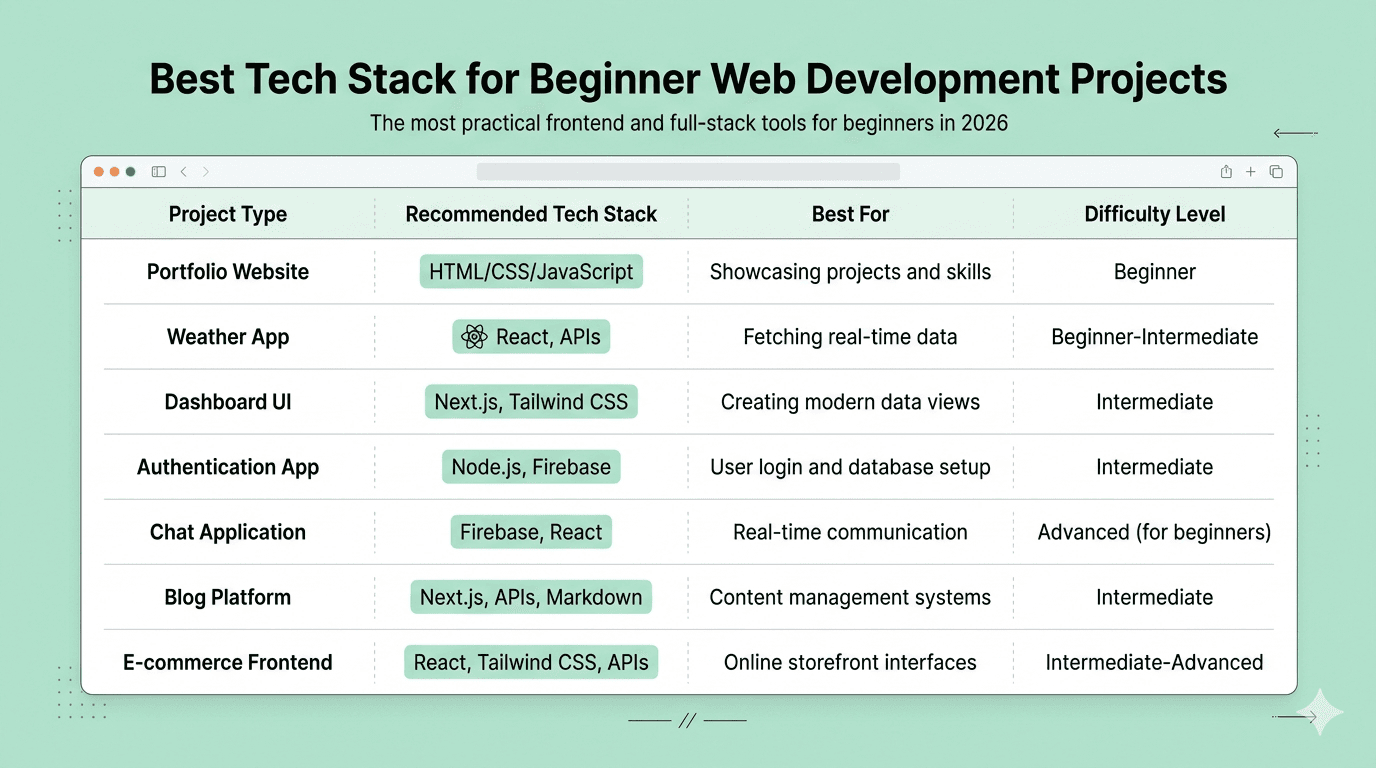
If your goal is specifically web development projects to get a job as quickly as possible, focus on these five from the list:
The portfolio website (because recruiters see it first), the weather or movie app (API integration is tested in almost every interview), the expense tracker or notes app (CRUD is asked about in every frontend interview), the job application tracker (shows product thinking), and the full stack task manager (shows you can build a complete product end to end).
Those five, built well and deployed live, are enough to start applying to junior developer positions.
Conclusion
The truth about building a developer portfolio is simple. You do not need twenty projects. You do not need to use every framework. You do not need to build something no one has ever seen before.
You need to build real things that work, that solve a problem, that are live and accessible, and that you can talk about intelligently in an interview.
The fifteen projects in this blog are all within reach for a beginner. Some will take you a weekend. All of them will teach you something that matters.
Start with one. Finish it. Deploy it. Put it on GitHub with a real README. Then move to the next one.
That is how you build a portfolio that actually works.