Loading...
Contents
I Interviewed at Razorpay for Frontend
Here's Every Round, Every Question, My Exact Answers
May 11, 202660 min readUpdated Oct 7, 2026
When the Razorpay recruiter messaged me on LinkedIn, my first reaction was excitement. My second reaction was panic. Because I knew Razorpay is not your average company. They don't ask you to reverse a binary tree or memorize sorting algorithms. They ask you real things, the kind of stuff you actually use every day at work. That is both a good thing and a scary thing. In this blog, I am going to walk you through every single round of the Razorpay frontend interview with the exact questions they asked, what I answered, what went well, and where I messed up. If you are preparing for Razorpay frontend interview questions, this is the most honest guide you will find. Let's go round by round.
FREE TO USE
25K+ INTERVIEWS4.8★ RATING68% IMPROVEMENT
Crack Your Dream Job
Real Interviews. Real Pressure. Practice until it feels easy.
- Seamless Interview Experience
- Resume & JD Questions
- Instant Personalized Feedback
First — How Did I Get the Interview?
I got a LinkedIn message from a Razorpay recruiter asking if I was open to exploring a frontend role. A few things that helped me get noticed: I had a GitHub profile with real projects (not just "todo apps") I had written a couple of articles on frontend topics My LinkedIn showed open source contributions and side projects Important: Razorpay loves engineers who build things outside of work. If your GitHub is empty, fill it before you apply. After a short intro call with HR, I was scheduled for the full interview loop. Also read: How to Build a Web Dev Portfolio
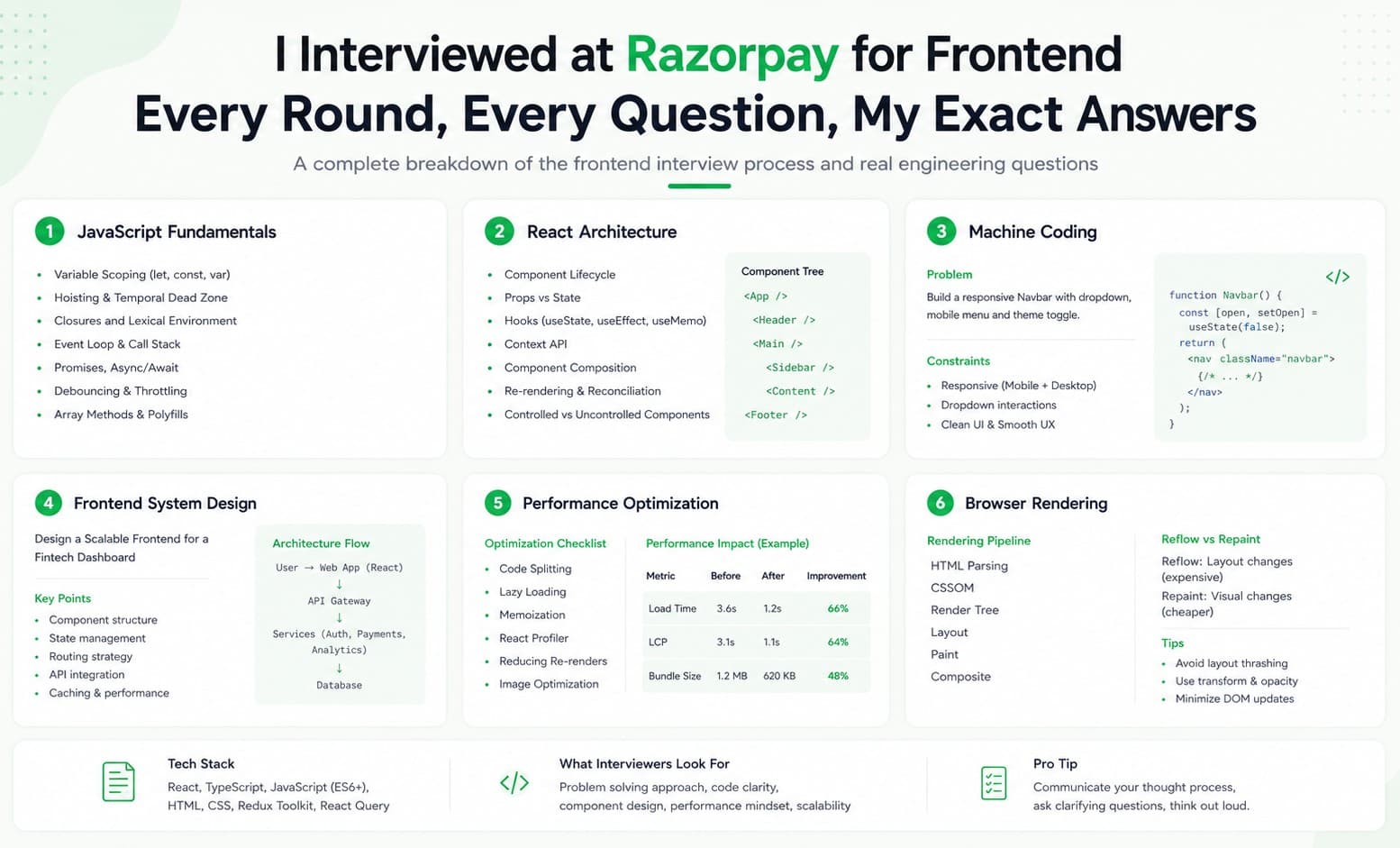
The Razorpay Frontend Interview Process - Overview
Here is how the full process looked for me: One big thing to know upfront: Razorpay does NOT have a DSA round. No LeetCode hard problems. No "find the kth element in a BST." Zero. This is a dream for frontend engineers who hate pure algorithm rounds.
Round 1 — JavaScript Fundamentals
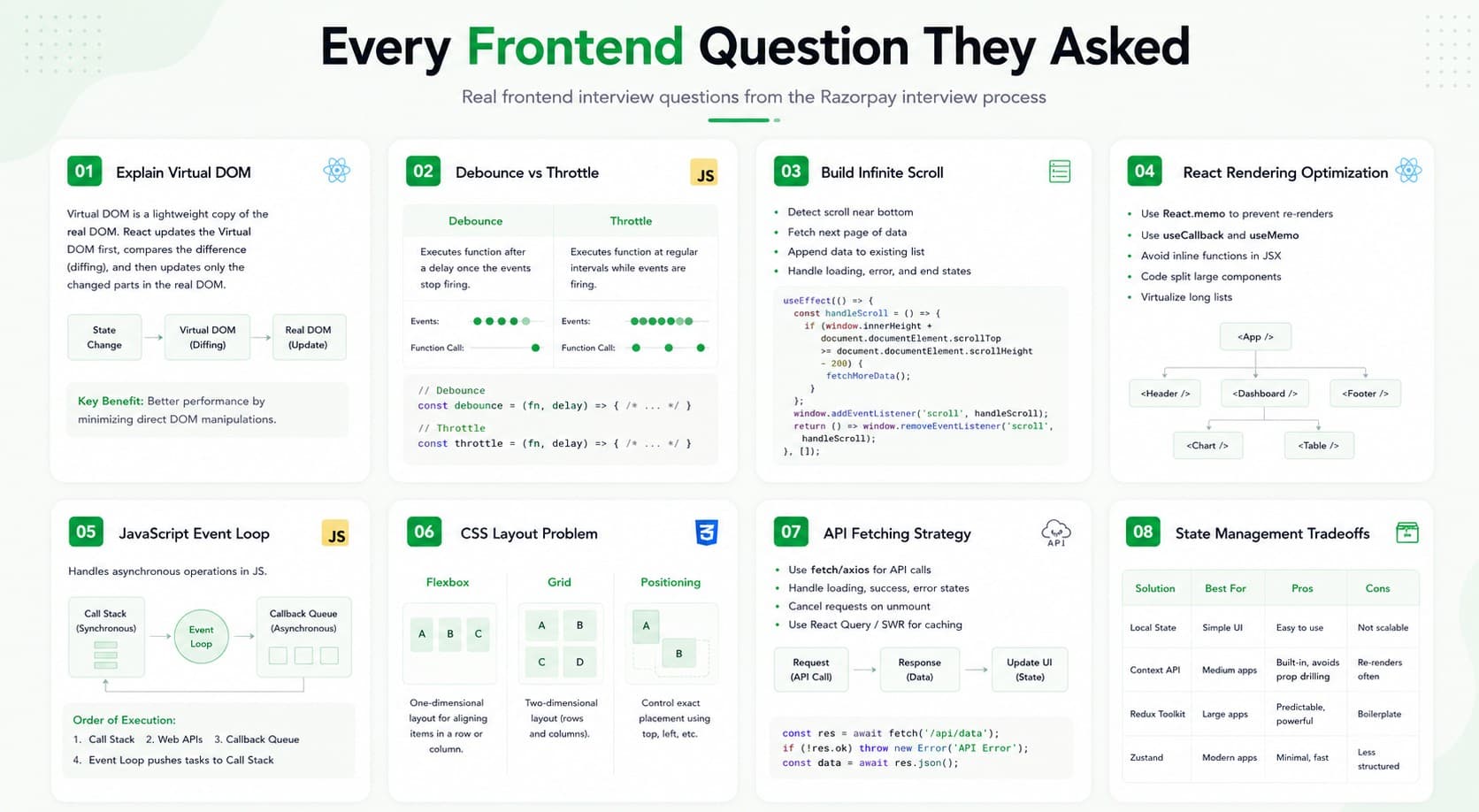
This was a pure JavaScript round. No React, no frameworks. Just raw JS. The interviewer was friendly and started with small output-based questions, then moved to bigger coding tasks. console.log(typeof null); console.log(null instanceof Object); My Answer: typeof null → "object" (this is a historical bug in JavaScript — null is not actually an object, but typeof returns "object" for it) null instanceof Object → false (null has no prototype chain, so instanceof correctly returns false) Why they ask this: They want to see if you understand JavaScript quirks, not just how to write code. for (var i = 0; i < 3; i++) { setTimeout(function() { console.log(i); }, 1000); } My Answer: It prints 3, 3, 3 — not 0, 1, 2. Why? Because var is function-scoped, not block-scoped. By the time setTimeout runs (after 1 second), the loop has already finished and i is 3. All three functions share the same i variable. Fix using let: for (let i = 0; i < 3; i++) { setTimeout(function() { console.log(i); // Now prints 0, 1, 2 }, 1000); } With let, each iteration gets its own copy of i. My Answer: A closure is when a function "remembers" the variables from its outer scope, even after that outer function has finished running. Simple example: function counter() { let count = 0; return function() { count++; console.log(count); } } const myCounter = counter(); myCounter(); // 1 myCounter(); // 2 myCounter(); // 3 Here, count is not destroyed after counter() runs. The inner function still has access to it. That is a closure. Real world use: Closures are used everywhere — event handlers, setTimeout, module patterns, React hooks internally use closures. My Answer: Debounce means: wait until the user stops doing something before running a function. Example: You have a search bar. Without debouncing, every keystroke makes an API call. With debounce, you only call the API after the user stops typing for 300ms. function debounce(fn, delay) { let timer; return function(...args) { clearTimeout(timer); timer = setTimeout(() => { fn.apply(this, args); }, delay); } } // Usage const search = debounce((query) => { console.log("Searching for:", query); }, 300); The interviewer then asked: What is the difference between debounce and throttle? Debounce → runs the function AFTER a pause (waits for the user to stop) Throttle → runs the function at most ONCE every X milliseconds (controls frequency) // Input: stringToObject("a.b.c", "hello") // Output: { a: { b: { c: "hello" } } } My Answer: function stringToObject(str, value) { const keys = str.split("."); const result = {}; let current = result; for (let i = 0; i < keys.length - 1; i++) { current[keys[i]] = {}; current = current[keys[i]]; } current[keys[keys.length - 1]] = value; return result; } console.log(stringToObject("a.b.c", "hello")); // Output: { a: { b: { c: 'hello' } } } This one felt tricky at first but once you think about it as "just loop and keep going deeper," it becomes clear.Question 1: What is the output of this code?
Question 2: What will this print?
Question 3: Explain Closures with an example
Question 4: What is debounce? Write a basic implementation.
Question 5 (Coding): Convert a string path to an object
Other JS Topics Asked in This Round
You should also be prepared for output questions on these topics: Hoisting - what gets hoisted (var declarations, function declarations) and what doesn't (let, const) Promises - .then(), .catch(), Promise.all(), Promise.race() async/await - what happens if you await inside a forEach vs for...of this keyword - in arrow functions vs regular functions call, apply, bind - what they do and how they differ Event Loop - why setTimeout(fn, 0) still runs after synchronous code
FREE TO USE
8k+ SESSIONS92% FLUENCY4.9★ RATING
Speak With Confidence
Real Conversations. Real Scenarios. Speak until it feels natural.
- Real-Time Speaking Practice
- Guided Conversation Flows
- Instant AI Feedback
Round 2 — Machine Coding Round (React)
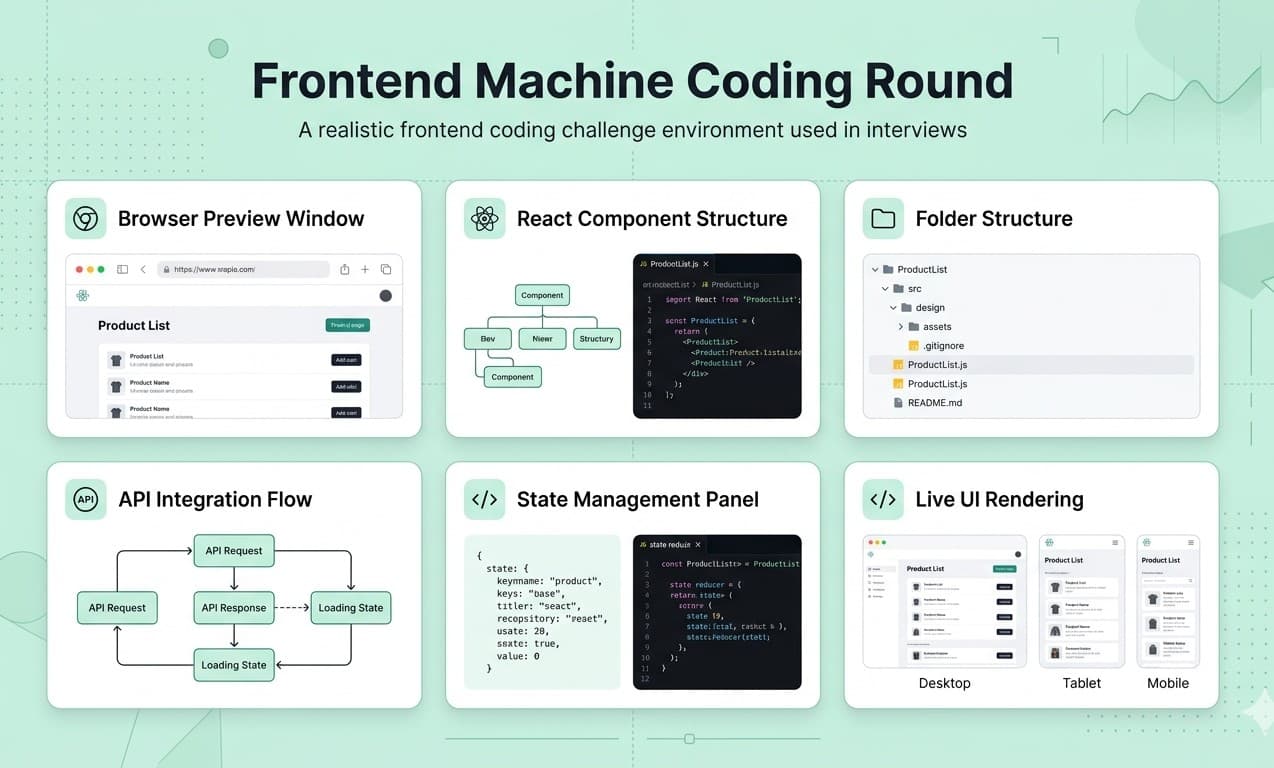
Duration: ~90 minutes Difficulty: Medium to Hard This was the most important round. They gave me a real UI problem to build from scratch. My task: Build a Pagination component in React, similar to how Material UI's pagination looks. The requirements were: Show page numbers (1, 2, 3 ... 10) Handle "previous" and "next" buttons Show ellipsis (...) when there are too many pages Highlight the currently active page
I started by talking out loud about my approach before writing any code. This helped a lot. My component structure: function Pagination({ totalPages, currentPage, onPageChange }) { const getPageNumbers = () => { const pages = []; if (totalPages <= 7) { // Show all pages if total is small for (let i = 1; i <= totalPages; i++) { pages.push(i); } } else { // Always show first, last, and pages around current pages.push(1); if (currentPage > 3) pages.push("..."); for (let i = Math.max(2, currentPage - 1); i <= Math.min(totalPages - 1, currentPage + 1); i++) { pages.push(i); } if (currentPage < totalPages - 2) pages.push("..."); pages.push(totalPages); } return pages; }; return ( <div className="pagination"> <button onClick={() => onPageChange(currentPage - 1)} disabled={currentPage === 1} > Previous </button> {getPageNumbers().map((page, index) => page === "..." ? ( <span key={index}>...</span> ) : ( <button key={page} onClick={() => onPageChange(page)} className={currentPage === page ? "active" : ""} > {page} </button> ) )} <button onClick={() => onPageChange(currentPage + 1)} disabled={currentPage === totalPages} > Next </button> </div> ); }How I approached it
I couldn't fully complete the styling in time, but the logic was mostly right. The interviewer appreciated that I explained my thinking clearly and asked good questions before jumping in.
Q: What is the difference between useMemo and useCallback? useMemo → remembers the result of a calculation useCallback → remembers the function itself Use useMemo when computing something expensive. Use useCallback when passing a function as a prop to a child component (prevents unnecessary re-renders). Q: What is the Virtual DOM and why is it fast? The Virtual DOM is a lightweight copy of the real DOM that React keeps in memory. When something changes, React compares the new Virtual DOM with the old one (this is called "diffing"), finds the minimal changes, and only updates those parts in the real DOM. Real DOM operations are slow. Virtual DOM comparisons are fast. That is why React feels snappy. Q: What are React keys and why do they matter? Keys help React identify which list items have changed, been added, or removed. Without proper keys, React may re-render the entire list unnecessarily. You should use stable, unique IDs as keys not array indexes (using index as key can cause bugs when items are added/removed from the middle).After coding, they asked:
Round 3 — Web Fundamentals + System Design
This round surprised me. It was not just about React or JavaScript. They went much deeper. Questions I was asked:
Q1: What happens when you type a URL in the browser and press Enter? This is a classic question but Razorpay really digs into this one. My answer covered: DNS lookup (domain → IP address) TCP handshake (establishing connection) HTTP request is sent Server sends back HTML Browser parses HTML, builds DOM Browser fetches CSS, builds CSSOM Both combined to make Render Tree Layout → Paint → Composite Page is visible on screen Q2: What is the difference between localStorage, sessionStorage, and cookies? Q3: What is CORS and why does it happen? CORS (Cross-Origin Resource Sharing) happens when a webpage at one domain tries to fetch data from a different domain. Example: Your frontend on app.mysite.com tries to call api.otherdomain.com. The browser blocks this by default for security. Fix: The server at api.otherdomain.com needs to send back a header like: Access-Control-Allow-Origin: * or Access-Control-Allow-Origin: https://app.mysite.com Q4: How would you improve the performance of a slow React app? My answer included: Use React.memo to prevent unnecessary re-renders Use useMemo and useCallback wisely Code splitting with React.lazy and Suspense Virtualize long lists (react-window or react-virtual) Avoid anonymous functions in JSX (creates new function every render) Use a CDN for static assets Compress images, use WebP format Lazy load images below the fold Q5: How do you scale a website for millions of users? They were checking if I could think beyond just writing React code. My answer covered: Use a CDN (Cloudflare, CloudFront) to serve static files close to users Load balancing to distribute traffic Caching API responses (Redis) Lazy loading and code splitting on frontend Server-side rendering (SSR) for fast initial load Database indexing for faster queries
Round 4 — Hiring Manager Round
About my past work: "Walk me through your most complex project." "What was the biggest technical challenge you faced and how did you solve it?" "Tell me about a time you disagreed with a teammate. What did you do?" About my thinking: "If a team member proposes an approach you don't agree with, what do you do?" "How do you handle working with a deadline you think is too tight?" Tip for this round: Be honest. Tell real stories. Don't try to give "perfect" answers. They are checking if you are someone they can actually work with every day not if you are a rockstar developer. I asked them questions too about the team structure, how frontend decisions are made, what the biggest frontend challenges at Razorpay are right now. They loved this.
The most Important Razorpay Interview Questions — Quick Reference
Here is a cheat sheet of the topics you MUST prepare: Closures - how they work and real-world use var vs let vs const - scoping differences Hoisting - what is hoisted, what isn't Event Loop - call stack, web APIs, callback queue, microtask queue Promises - .then(), .catch(), Promise.all(), Promise.race(), Promise.allSettled() async/await - error handling with try/catch this keyword - in arrow functions, regular functions, class methods call, apply, bind Debounce vs Throttle Prototype chain and inheritance Virtual DOM and diffing algorithm useMemo vs useCallback vs React.memo useEffect - cleanup, dependencies array Controlled vs Uncontrolled components Lifting state up React keys in lists Code splitting and lazy loading Custom hooks - when and why to use them Browser rendering pipeline localStorage vs sessionStorage vs cookies HTTP vs HTTPS CORS - what it is and how to fix it Web performance - Core Web Vitals (LCP, FID, CLS) Accessibility basics (ARIA attributes) Build a Pagination component Build a Tabs UI (HTML, CSS, JS only no React) Implement debounce from scratch Build a custom toggle switch Build a Notification list component Implement a pipe utility functionJavaScript (High Priority)
React (High Priority)
Web Fundamentals (Medium Priority)
Machine Coding (Practice These)
My Honest Tips for Cracking Razorpay Frontend Interviews
After going through the full process, here is what I genuinely believe helped (and what I wish I had done better): 1. Think out loud - always Razorpay's interviewers are collaborative. They are not waiting for you to fail. When you think out loud, they can give you hints and the round becomes a conversation instead of an exam. 2. Know your projects inside-out They will ask about every technology on your resume. If you wrote "used Redis for caching" know HOW you used it, WHY you chose it, and what problems it solved. Don't put something on your resume that you can't defend. 3. Don't memorize - understand There is a difference between someone who remembers the definition of "event loop" and someone who can explain why setTimeout(fn, 0) runs after synchronous code. Razorpay can tell which one you are within 5 minutes. 4. Practice building real things Their machine coding rounds are real-world problems. The best way to prepare is to actually build small components: a star rating widget, a multi-step form, a custom dropdown. Not from tutorials. From scratch. 5. It is okay to say "I don't know" I did not know the answer to one question in Round 3. I said clearly: "I am not sure about this, but here is how I would think through it..." That honest approach is much better than making up an answer. They respected it.
Is the Razorpay Interview Hard?
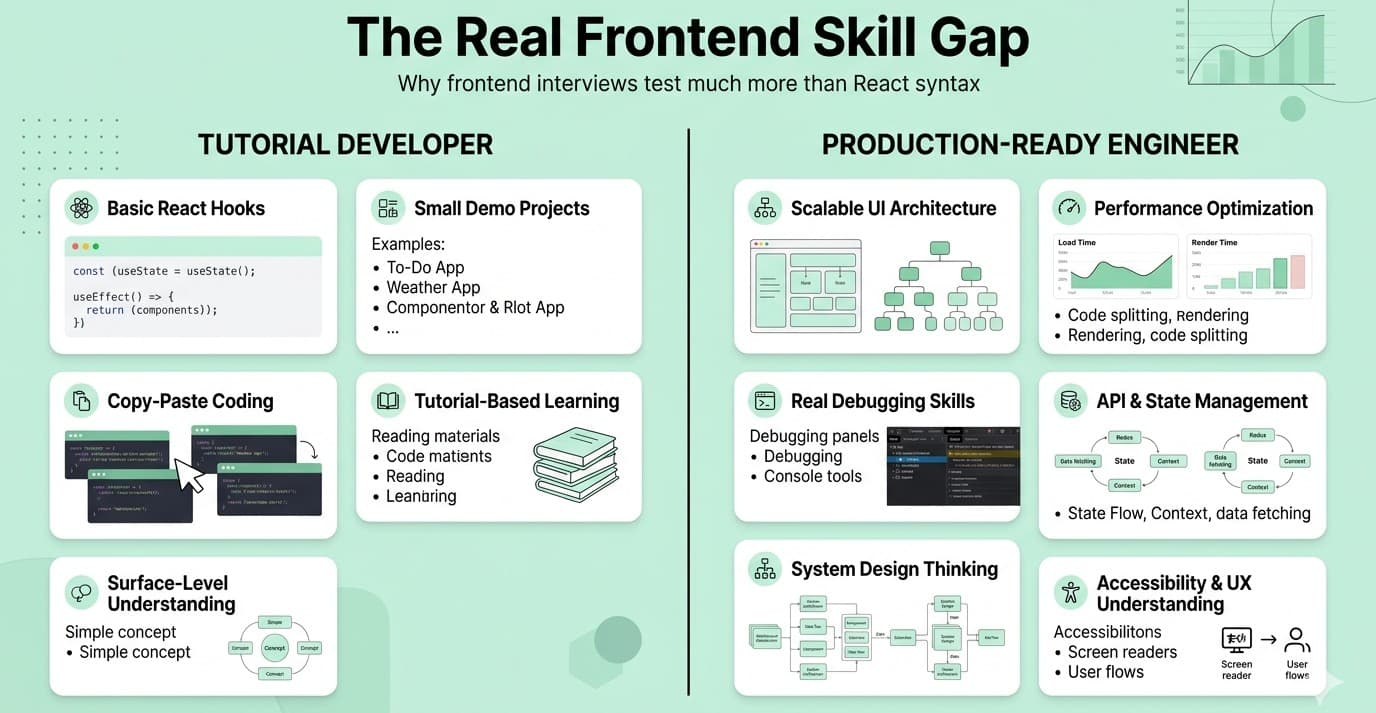
Yes and no. It is hard if you only know React on the surface and have never thought deeply about JavaScript. It is manageable, even enjoyable, if you understand JavaScript fundamentals well, can build real components under time pressure, and know how to communicate your thinking clearly. The best part? No LeetCode grinding. No binary trees. No dynamic programming. Just real frontend engineering. If you prepare the topics in this blog, you are more ready than 80% of candidates who walk into that interview.
Quick summary
Good luck. You've got this. If this blog helped you, share it with someone else preparing for their Razorpay interview. And if you have questions, drop them in the comments, I will do my best to help.