Loading...
Contents
Top 50 UI/UX Designer Interview Questions and Answers in 2026
Oct 22, 202632 min readUpdated Oct 23, 2026
The most common UI/UX designer interview questions in 2026 cover design fundamentals, user research, visual design and design systems, accessibility, AI assisted workflows, collaboration with developers, and portfolio storytelling. The best answers explain your reasoning, connect decisions to user and business outcomes, and use real examples from your own projects. This guide gives you 50 questions with sample answers you can adapt in your own words.
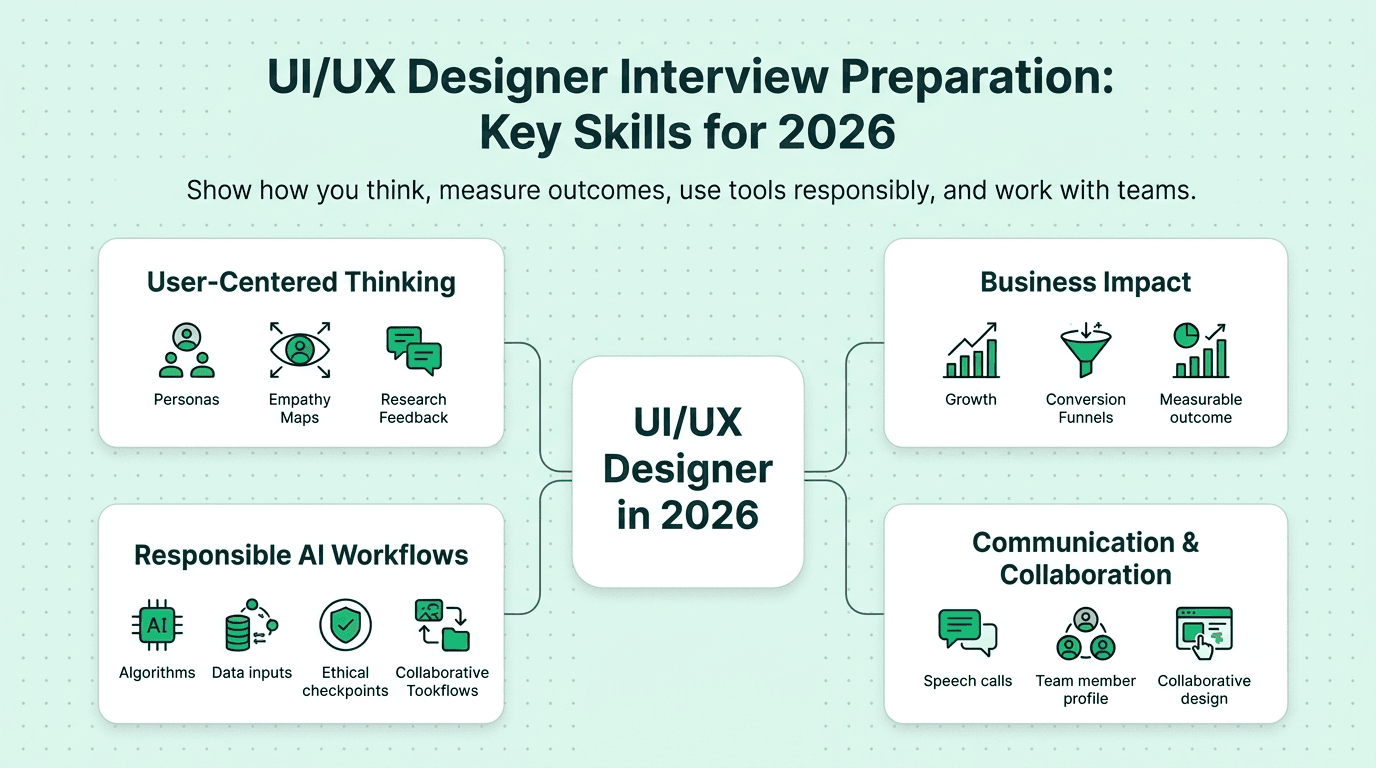
Design interviews have changed. A few years ago, a polished portfolio and fluent Figma skills could carry you through most rounds. In 2026, hiring managers want more. They want to hear how you think, how you measure the impact of your work, how you use AI tools without losing your craft, and how you communicate with engineers, product managers, and stakeholders who see the world very differently from you.
This guide brings together 50 questions that come up again and again in UI/UX, product design, and UX research interviews. Each one comes with a sample answer and a short note on what the interviewer is really looking for. Do not memorize the answers. Use them as a structure, then replace the examples with stories from your own work.
FREE TO USE
25K+ INTERVIEWS4.8★ RATING68% IMPROVEMENT
Crack Your Dream Job
Real Interviews. Real Pressure. Practice until it feels easy.
- Seamless Interview Experience
- Resume & JD Questions
- Instant Personalized Feedback
How Is UI/UX Designer Hiring Changing in 2026?
Three shifts matter most for candidates this year.
First, companies expect designers to show business impact. Saying a screen looks cleaner is no longer enough. Interviewers want to hear about conversion, task success, retention, support ticket reduction, or time saved.
Second, AI is part of the daily workflow. Teams expect you to know where AI speeds up research synthesis, ideation, and prototyping, and where human judgment still matters.
Third, communication is a core skill. Many design rounds now include a live critique, a whiteboard exercise, or a presentation to a panel. If you want to sharpen how you explain your thinking out loud, practice with an AI mock interview before the real round.
Section 1: Design Fundamentals
1. What is the difference between UI and UX design?
UX design is about the whole experience a person has while trying to achieve a goal with a product. It covers research, flows, structure, and usability. UI design is the visual and interactive layer that people actually see and touch, such as layout, typography, color, and components. Good products need both. A beautiful interface that confuses users is a failure, and a smart flow with a poor interface feels unfinished.
What the interviewer wants: A clear definition plus proof that you understand both sides work together.
2. How would you explain your design process?
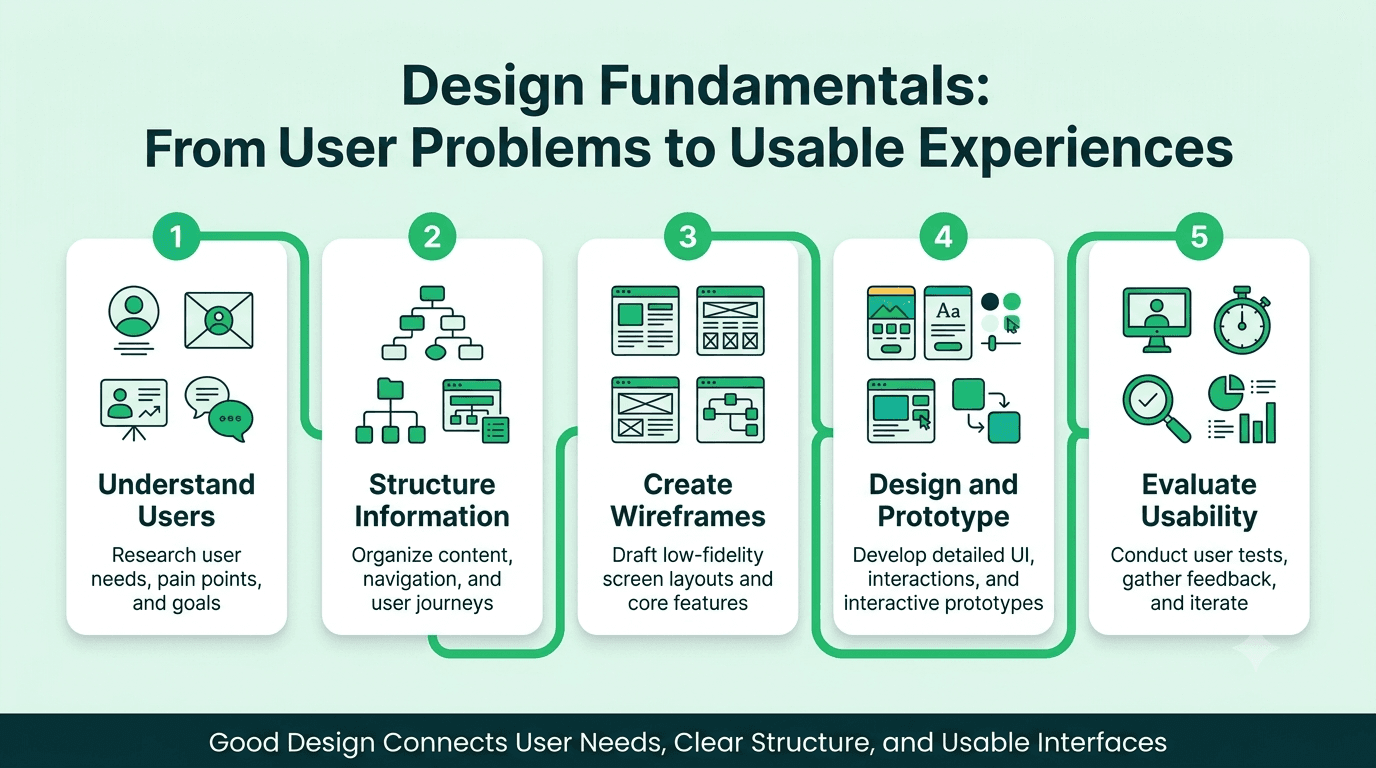
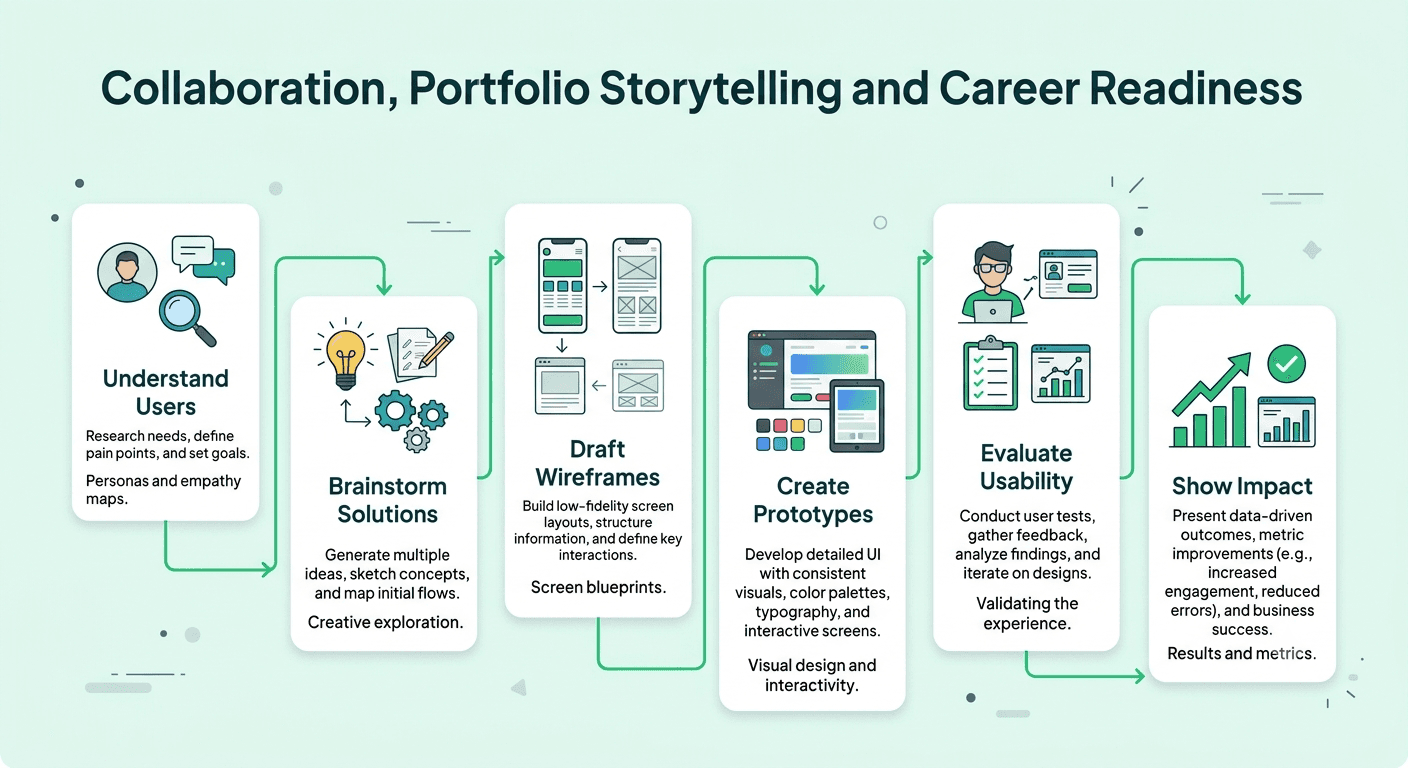
I start by understanding the problem and the people affected by it. Then I research, define the core need, explore ideas, build prototypes, test with real users, and refine. After launch I look at data and feedback to see what to improve. The process is not a straight line. I move back and forth between stages when new information appears, and I adjust the depth of each stage to fit the time and risk of the project.
What the interviewer wants: A process that is structured but flexible, not a memorized diagram.
3. What is user centered design and why does it matter?
It means making decisions based on the needs, behavior, and context of real users instead of assumptions or personal taste. It matters because it lowers the risk of building the wrong thing. When you design with users in mind, you spend less on rework and you build products people actually adopt.
4. What are the principles of good UX design?
I focus on clarity, consistency, feedback, efficiency, accessibility, and forgiveness. Users should understand what to do next, see familiar patterns, get a response to every action, complete tasks without wasted steps, and recover easily from mistakes. I also keep the emotional side in mind, because trust and delight affect whether people return.
5. What is the difference between a wireframe, a mockup, and a prototype?
A wireframe is a low fidelity layout that shows structure and content priority without visual styling. A mockup adds color, typography, and imagery to show how the product will look. A prototype is interactive, so people can click through flows and give feedback on how it feels to use. I choose the level of fidelity based on what question I am trying to answer.
6. What is information architecture and why is it important?
Information architecture is how content and features are organized, labeled, and connected. It decides whether people can find things without effort. I use methods like card sorting, tree testing, and sitemaps to build structures that match how users think, not how the company is organized internally.
7. What is the difference between usability and accessibility?
Usability is how easily and satisfactorily a person can complete tasks with a product. Accessibility makes sure people with different abilities, devices, and situations can use it too. They overlap, but accessibility has specific standards, such as WCAG, that you can test against. Strong designers treat accessibility as part of quality from the first sketch, not as a final checklist.
8. What are Nielsen's usability heuristics, and how do you use them?
They are ten broad rules of thumb for interface design, including visibility of system status, match between the system and the real world, user control and freedom, consistency, error prevention, and recognition over recall. I use them for quick expert reviews to find obvious problems before testing, and as a shared language when giving design feedback to teammates.
9. How do you balance user needs with business goals?
I treat them as connected rather than opposed. I start by asking what the business is trying to achieve, then look for the user need that supports it. When they conflict, I bring evidence to the conversation, such as research findings or test results, and propose options that protect the user experience while still moving a business metric. Short term gains that damage trust usually cost more later.
10. What makes a design good in your opinion?
A good design solves the right problem for the right people with the least friction. It is clear, accessible, consistent, and enjoyable to use, and it can be measured against a goal. Beauty matters because it builds trust, but it should never hide a poor experience.
Section 2: User Research and Strategy
11. How do you conduct user research when time and budget are limited?
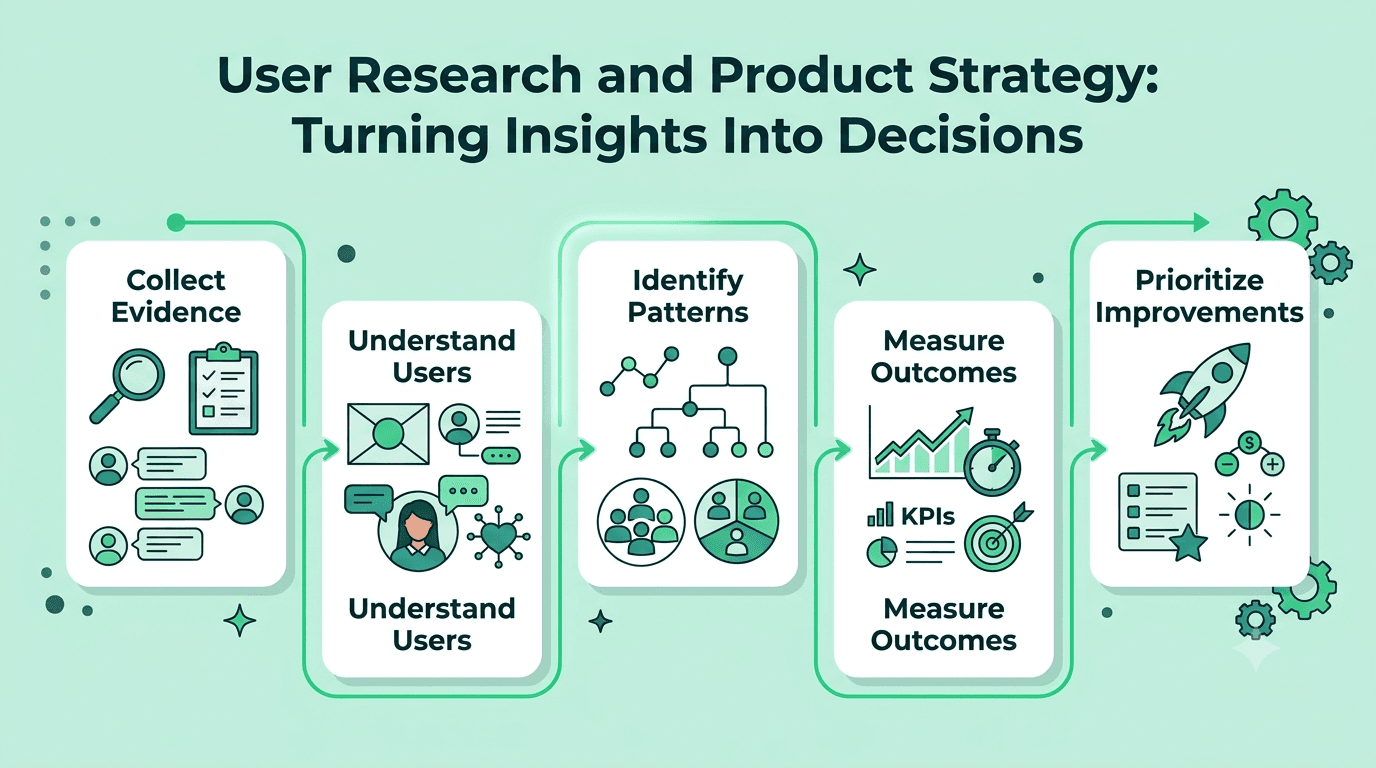
I match the method to the question. For quick insight I use five to eight guided interviews, short surveys, analytics review, support ticket analysis, and unmoderated usability tests. I also check existing research in the company before starting anything new. A small study that answers one clear question is better than a large study with no focus.
12. What is the difference between qualitative and quantitative research?
Qualitative research explains why people behave the way they do, through interviews, observation, and open feedback. Quantitative research measures how many people do something and how often, through surveys, analytics, and experiments. The strongest decisions combine both. Numbers show where the problem is, and conversations show what is causing it.
13. How do you create user personas, and are they still useful?
I build personas from real research patterns, such as goals, behaviors, and pain points, not from demographic guesses. They are useful when they help a team make decisions and stay aligned. They are not useful when they sit in a slide deck unused. I keep them short, evidence based, and tied to actual product choices.
14. What is a user journey map and when do you use it?
It is a visual timeline of the steps a person takes to reach a goal, along with their actions, thoughts, emotions, and pain points. I use it to find moments where the experience breaks down and to help stakeholders see the whole experience, not just their own part of it.
15. How do you run a usability test?
I define the goals and tasks, recruit participants who match the target audience, and prepare a neutral script. During the session I ask people to think aloud and I avoid leading them. Afterward I look for patterns across sessions, rank issues by severity and frequency, and share clear recommendations with supporting clips or quotes.
16. How many users do you need to test with?
For finding usability problems in a single flow, five to eight participants usually reveal most of the major issues, and running several small rounds is better than one large one. For statistical confidence in a quantitative study, you need a much larger sample. The right number depends on the question you are answering.
17. How do you handle research that contradicts a stakeholder's opinion?
I stay calm and focus on the shared goal. I show the evidence, explain what users did and said, and ask the stakeholder what outcome they want. Often I suggest a small test so the decision does not become a debate of opinions. People respond better to evidence they can see than to being told they are wrong.
18. What is an A/B test and when should a designer use one?
An A/B test compares two versions of an experience to see which performs better on a defined metric. I use it when there is enough traffic, a clear hypothesis, and a measurable outcome. I avoid it for decisions that need deeper understanding, because a test can tell you which version won but not why.
19. What UX metrics do you track?
I look at task success rate, time on task, error rate, conversion, drop off points, retention, and satisfaction measures like SUS or NPS. I choose metrics based on the goal of the project. For an onboarding redesign, activation rate and time to first value matter most. For a checkout redesign, completion rate and error rate matter most.
20. How do you prioritize design work when everything feels urgent?
I look at impact on users and business goals against effort and risk. Frameworks like RICE or an impact and effort matrix help, but I also talk with product and engineering to understand dependencies. I make the tradeoffs visible so the team agrees on what we are choosing not to do.
Section 3: UI Design, Visual Design, and Design Systems
21. How do you decide on typography for a product?
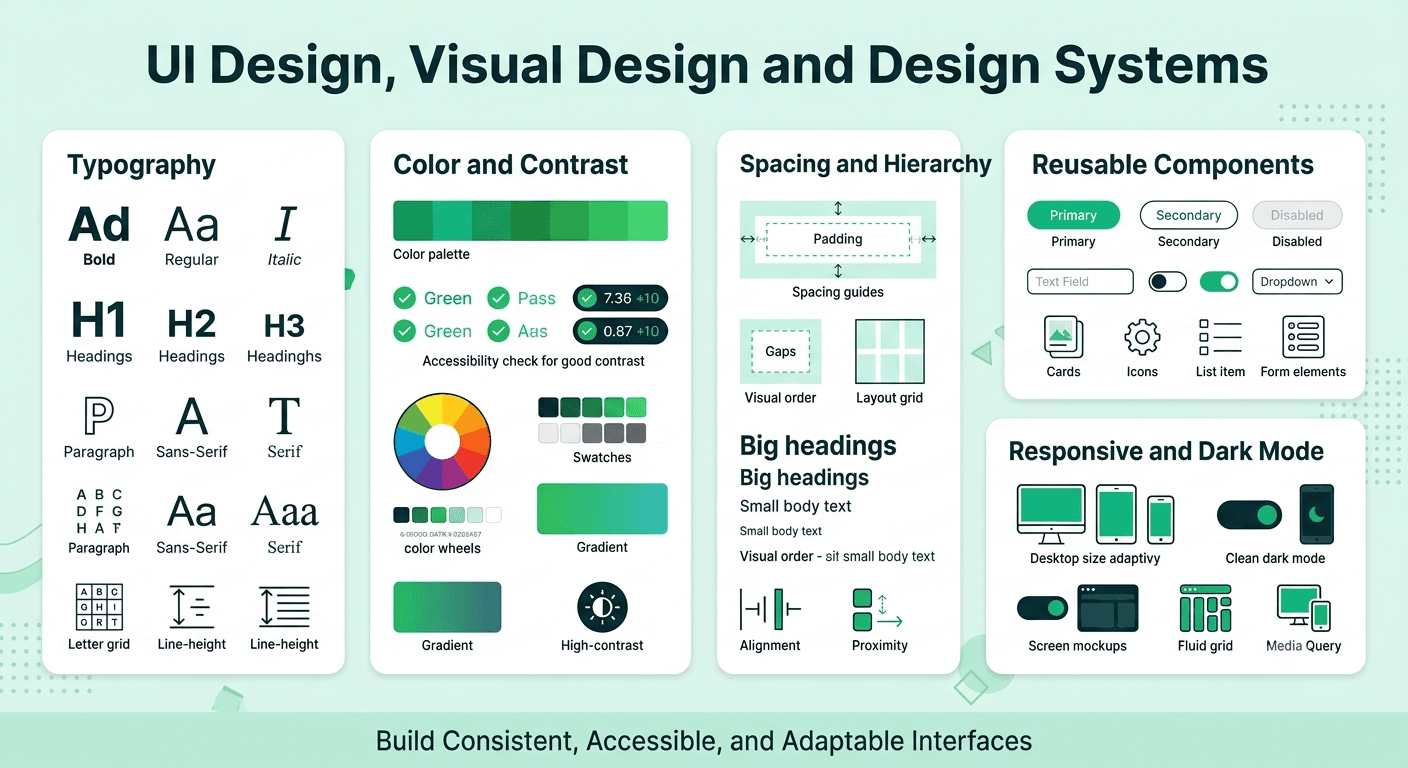
I choose typefaces for readability first, brand fit second. I limit the number of families, define a clear scale for headings, body text, and captions, and check line length, spacing, and contrast across screen sizes. I also confirm that the fonts have good language support if the product serves a global audience.
22. How do you choose a color palette?
I begin with the brand, then build a functional system that includes primary, secondary, neutral, and semantic colors for success, warning, and error. I test contrast for accessibility, check how colors work in light and dark modes, and make sure color is never the only way to communicate meaning.
23. What is visual hierarchy and how do you create it?
Visual hierarchy guides the eye to what matters most. I create it with size, weight, color, contrast, spacing, and position. A good test is to squint at a screen. If the most important element still stands out, the hierarchy is working.
24. What is a design system and why do teams need one?
A design system is a shared library of components, patterns, tokens, and guidelines that keeps products consistent and speeds up work. Teams need one because it reduces repeated decisions, improves quality, and makes design and engineering collaboration smoother. A good system also includes documentation about when and how to use each component.
25. How do you build or contribute to a design system?
I start by auditing existing interfaces to find repeated patterns. Then I define foundations such as color, type, spacing, and tokens, build core components with all their states, document usage rules, and work closely with engineers so the code and design stay in sync. I treat the system as a product that needs owners, feedback, and regular updates.
26. What are design tokens?
Design tokens are named values that store design decisions, such as colors, spacing, type sizes, and border radius. They allow design and code to share one source of truth, so a change to a token updates everything that uses it. They are especially useful for theming and supporting dark mode.
27. How do you design for different screen sizes?
I think about content priority first, then layout. I define breakpoints, use flexible grids, and decide how components adapt rather than just shrink. I test on real devices where possible and consider touch targets, thumb reach, and performance on slower connections.
28. What is your approach to designing for mobile first?
Starting with mobile forces me to focus on the most important content and actions. Once the core experience works on a small screen, I expand it for tablets and desktops by adding space and secondary features. This approach usually produces cleaner experiences across all devices.
29. How do you design for dark mode?
I do not simply invert colors. I create a separate set of tokens with carefully chosen surface and text colors that keep contrast and hierarchy intact. I avoid pure black and pure white in large areas, adjust shadows and elevation, and check images and icons for readability.
30. How do you use whitespace, and why does it matter?
Whitespace gives content room to breathe, groups related elements, and improves scanning and comprehension. I use consistent spacing scales so the interface feels organized. Crowded layouts increase cognitive load, while generous spacing makes key actions easier to notice.
FREE TO USE
8k+ SESSIONS92% FLUENCY4.9★ RATING
Speak With Confidence
Real Conversations. Real Scenarios. Speak until it feels natural.
- Real-Time Speaking Practice
- Guided Conversation Flows
- Instant AI Feedback
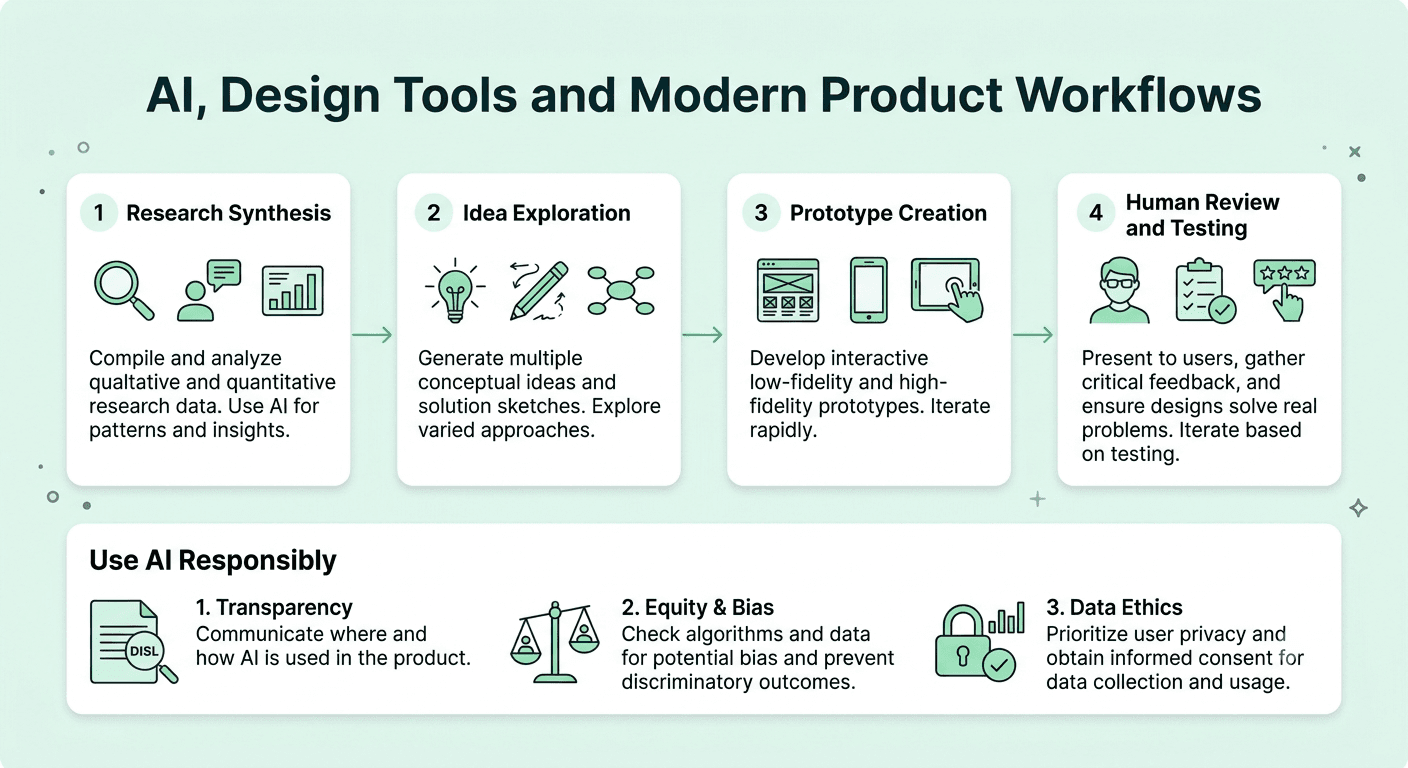
Section 4: Tools, AI, and Modern Workflow
31. Which design tools do you use and why?
I mainly use Figma for interface design, prototyping, and collaboration, along with tools like FigJam or Miro for workshops, and Maze or UserTesting for research. I choose tools based on the team and the task. Tools change quickly, so I focus on learning concepts that transfer from one tool to another.
32. How do you use AI in your design workflow?
I use AI to speed up routine work, such as summarizing interview notes, generating copy options, exploring layout ideas, and creating quick prototypes. I always review the output with a critical eye, because AI can produce generic or biased results. The decisions about what to build and why still come from research and judgment.
33. What are the risks of relying on AI tools for design?
The main risks are generic output, hidden bias, inaccurate research summaries, accessibility gaps, and loss of original thinking. I reduce these risks by treating AI as an assistant, checking its work against real user data, and keeping humans responsible for final decisions.
34. How would you design an interface for an AI powered feature?
I focus on trust and control. Users should understand what the AI is doing, see how confident or limited it is, be able to edit or undo results, and give feedback easily. I also plan for errors and uncertain responses, because AI features do not behave the same way every time.
35. What is conversational UI and when is it a good choice?
Conversational UI lets people interact through natural language, by text or voice. It works well for tasks that are complex to navigate through menus, such as searching, support, or guided recommendations. It works poorly when users need speed, precision, or a clear overview. Often the best answer is a mix of conversation and traditional interface elements.
36. How do you create an interactive prototype?
I plan the flow first, then build screens with reusable components, connect them with transitions and states, and test them with users. I include realistic content and edge cases, because placeholder text can hide real problems. The prototype only needs to be detailed enough to answer the question I am testing.
37. What is your experience with motion and microinteractions?
I use motion to give feedback, show relationships, and guide attention, not to decorate. Good microinteractions confirm actions, such as a button state change or a subtle loading animation. I keep durations short, respect reduced motion preferences, and test performance on lower end devices.
38. How do you stay updated with design trends and tools?
I follow design communities and newsletters, read case studies from product teams, test new tools on small side projects, and learn from engineers and researchers around me. I also try to separate lasting principles from short lived trends, so I adopt what improves the experience and ignore what only looks fashionable.
Section 5: Collaboration, Handoff, and Stakeholders
39. How do you work with developers?
I involve them early so we can talk about feasibility, performance, and effort before designs are final. I share clear specs, components, and interaction notes, stay available during build, and review the implementation together. Respecting technical constraints and explaining design intent builds trust in both directions.
40. What does a good design handoff look like?
A good handoff includes organized files, named components, all states such as hover, error, loading, and empty, responsive behavior, accessibility notes, and links to the relevant research and requirements. It is also a conversation, not just a file. I walk the team through the work and answer questions as they come up.
41. How do you work with product managers?
I see the product manager as a partner. We align on goals, users, and success metrics at the start, share progress often, and challenge each other respectfully. I bring user insight and design options, and they bring business context and constraints. The best outcomes come when both sides explain their reasoning.
42. How do you present your designs to stakeholders?
I start with the problem and the goal, not the screens. Then I show the user insight, explain the solution and the alternatives I considered, and connect the design to expected results. I ask for specific feedback and make it clear which parts are open for discussion.
43. How do you handle negative feedback on your design?
I listen first and try to understand the concern behind the comment. I separate personal preference from feedback that points to a real user or business problem, ask clarifying questions, and test ideas when we disagree. Good feedback usually improves the work, and I do not take it personally.
44. How do you give design critique to others?
I describe what I see, relate it to the goal, and explain the impact on the user. I avoid vague comments like "I do not like it." Instead I say something like "the primary action is hard to find, which may slow down new users." I also point out what works well so the feedback feels balanced.
Section 6: Portfolio, Behavioral, and Career Questions
45. Walk me through a project in your portfolio.
Pick a project with a clear problem, your specific role, and measurable results. Explain the context, the users, what you researched, the options you explored, the decisions you made and why, the outcome, and what you learned. Spend more time on your reasoning than on the final visuals. Practice saying this in about five minutes so you stay clear under pressure.
46. Tell me about a time a design failed. What did you learn?
Choose a real example and be honest. Describe what you expected, what actually happened, how you found out, and what you changed afterward. Interviewers value self awareness and a habit of learning more than a perfect record.
47. How do you handle tight deadlines?
I clarify what is essential for the first release, cut scope instead of quality, use existing components and patterns, and communicate risks early. I also decide which research and testing steps are most valuable in the time available, so speed does not come at the cost of avoidable mistakes.
48. How would you redesign a product you use every day?
Choose a product, name a specific user group, and identify a real problem you have noticed. Explain how you would research it, what changes you would test first, and how you would measure success. Interviewers use this to see how you think, not to see a polished redesign.
49. Why do you want to work here?
Research the company's product, users, and design culture. Mention something specific, such as a product decision you admire or a challenge you want to help solve, and connect it to your strengths. Generic answers about "great culture" do not stand out.
50. Where do you see yourself in five years?
Share a direction that fits the role, such as growing into a senior or lead designer, deepening your craft in a specialty like research or design systems, or mentoring others. Show that you care about growth and impact, and that the role you are interviewing for is a meaningful step on that path.
How Should You Prepare for a UI/UX Designer Interview in 2026?
Preparation works best when it is active, not passive. Reading answers is a start, but you perform better when you speak them aloud.
Refine your portfolio story. Pick two or three projects and prepare to discuss each one in depth. Know your numbers, your role, and your biggest tradeoffs.
Practice a design exercise. Many companies give a live or take home challenge. Practice framing the problem, asking questions, sketching quickly, and explaining your choices step by step.
Rehearse out loud. Many strong designers lose points because they cannot explain their ideas clearly under pressure. Run a timed AI mock interview to get realistic questions and feedback on how your answers sound.
Work on your spoken English. If English is not your first language, clear pronunciation, pacing, and confident phrasing can change how your ideas are received. The English communication practice tool helps you improve fluency for interviews and daily work conversations.
Prepare your own questions. Ask about how design works with product and engineering, how success is measured, and how the team uses research and AI tools. Good questions show you think like a partner, not just an executor.
Conclusion
A UI/UX designer interview is a chance to show how you think, not just what you can make. If you can explain your decisions, back them with evidence, and communicate clearly with different people, you will stand out from candidates who only show polished screens.
Take the questions above, write your own examples, and practice them until they sound natural. When you are ready for a realistic rehearsal, start an AI mock interview on Mocklingo and walk into your next design round prepared.
FAQs
More Blogs
Oct 22, 2026
UI/UX Designer Interview Preparation Guide: A Complete Roadmap for 2026
38 min read


