Loading...
Contents
Top Skills Recruiters Look for in UI/UX Designers in 2026
Oct 22, 202622 min readUpdated Oct 23, 2026
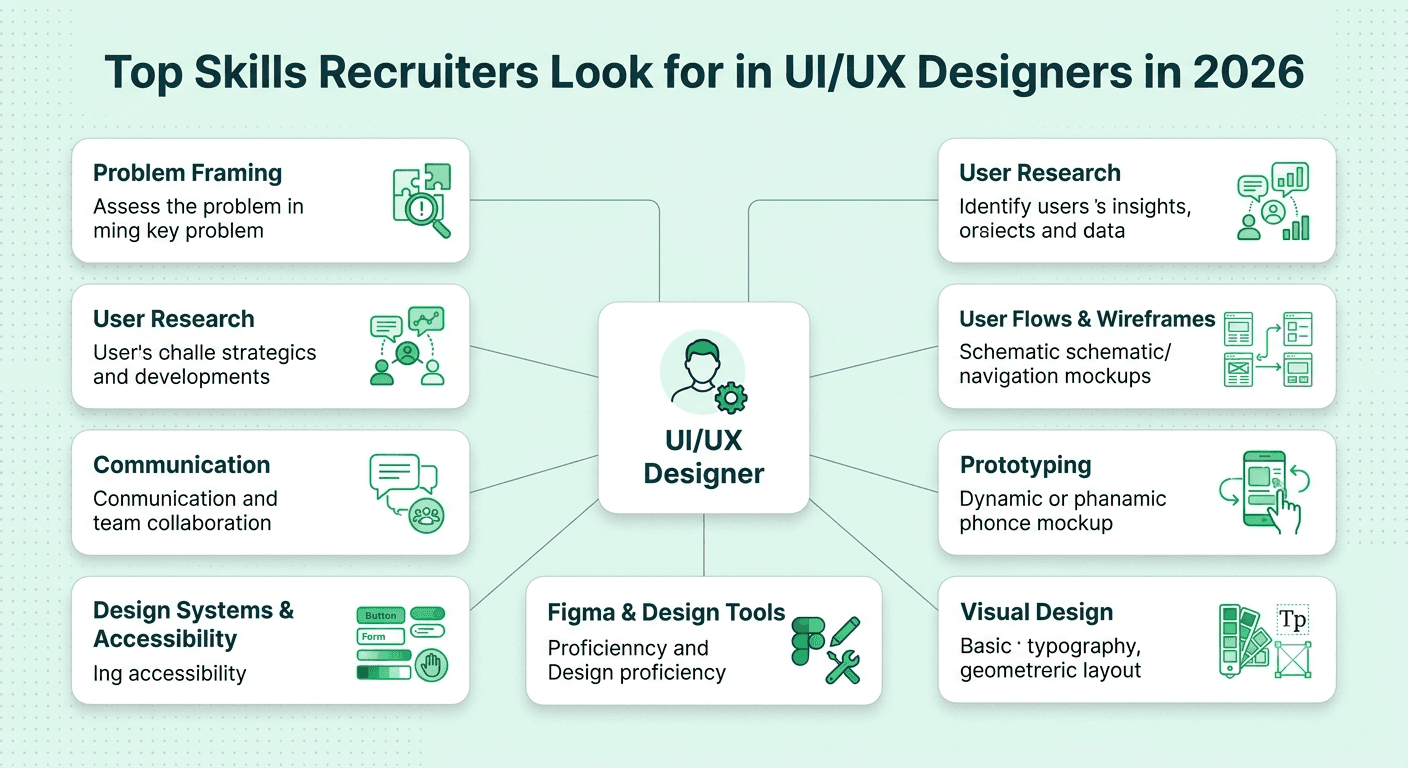
In 2026, recruiters hiring UI/UX designers look for eight core skills: user research, problem framing and UX thinking, wireframing and prototyping, visual design fundamentals, strong Figma skills, design systems, accessibility, and clear communication with developers and stakeholders. The designers who get offers are the ones who can explain why they made a design decision and what result it created, not just show a beautiful screen.
If you are applying for design roles this year, you have probably noticed that job posts keep asking for more. Research, visual polish, prototyping, data, accessibility, and even AI tools, all in one role. Recruiters are not looking for a person who is perfect at everything. They are trying to answer one simple question: can this designer solve real user problems and work well with the people who build the product? This guide breaks down the skills that answer that question, ranked by how often they decide a hiring outcome.
FREE TO USE
25K+ INTERVIEWS4.8★ RATING68% IMPROVEMENT
Crack Your Dream Job
Real Interviews. Real Pressure. Practice until it feels easy.
- Seamless Interview Experience
- Resume & JD Questions
- Instant Personalized Feedback
What Skills Do Recruiters Look for in a UI/UX Designer?
Here is the order in which skills usually matter most:
Problem framing and UX thinking
User research and usability testing
Information architecture, user flows, and wireframing
Prototyping and interaction design
Visual design fundamentals
Design tools, especially Figma
Design systems and accessibility
Communication, collaboration, and storytelling
Notice that visual polish is not at the top. Many candidates spend months perfecting how their screens look and very little time practicing how they explain the thinking behind them. Recruiters can find designers who make pretty interfaces quite easily. They struggle to find designers who clearly understand the problem first.
Why Is Problem Framing the Skill Recruiters Value Most?
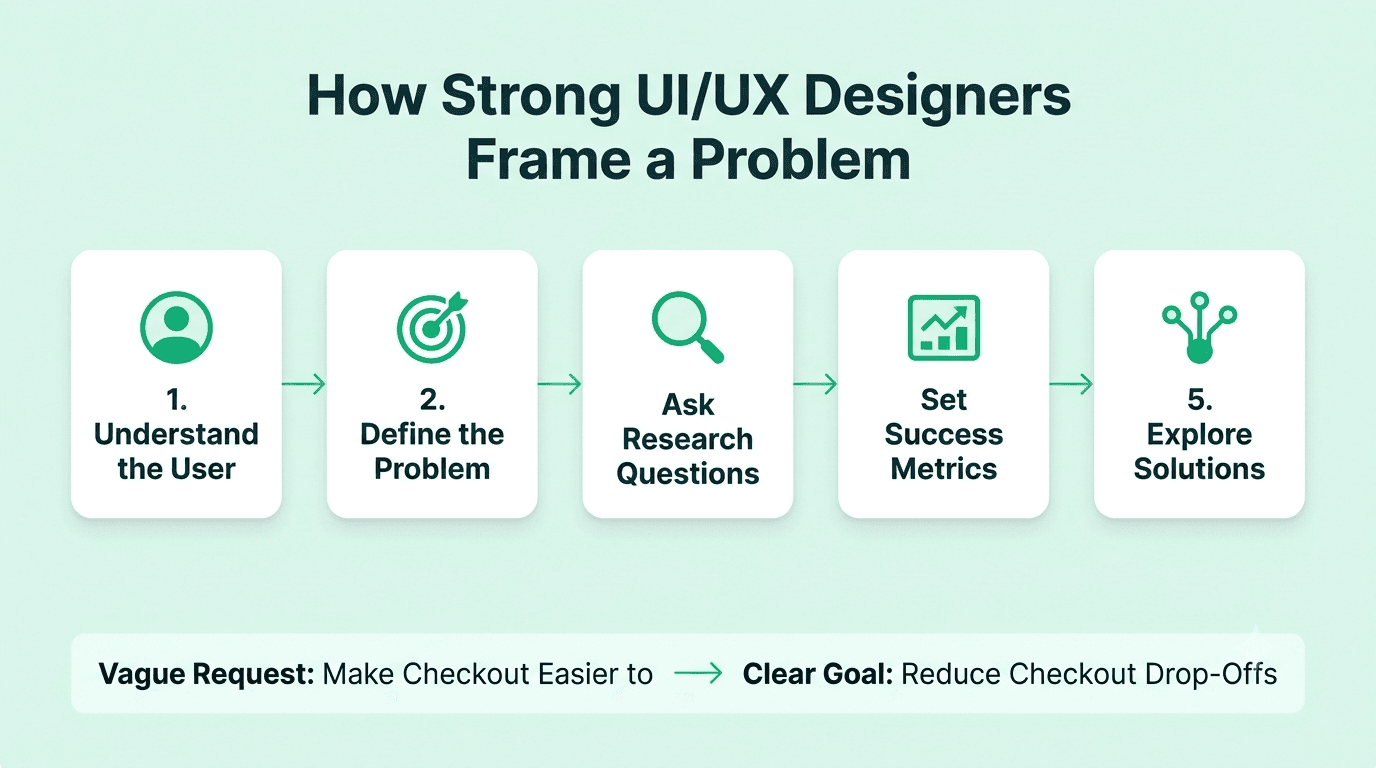
Because it shows how you think. Before you draw a single screen, you need to understand who the user is, what they are trying to do, what is stopping them, and how the business will know the design worked.
Recruiters expect you to be able to:
Turn a vague request like "make the app easier to use" into a clear, testable problem
Ask good questions about users, goals, and constraints before designing
Define success with simple measures such as task completion, drop off rate, or time to finish
Prioritize what to solve first when time and budget are limited
Explain trade offs honestly, including what you chose not to do
A common interview prompt is, "Tell me how you would improve the checkout experience for this app." Strong candidates do not jump straight into screens. They begin with questions, then describe who they would talk to, what they would look at, and how they would decide what to fix first. That structure is what interviewers remember.
How to show it: in every portfolio case study, start with the problem and the goal, not the final design.
How Important Is User Research?
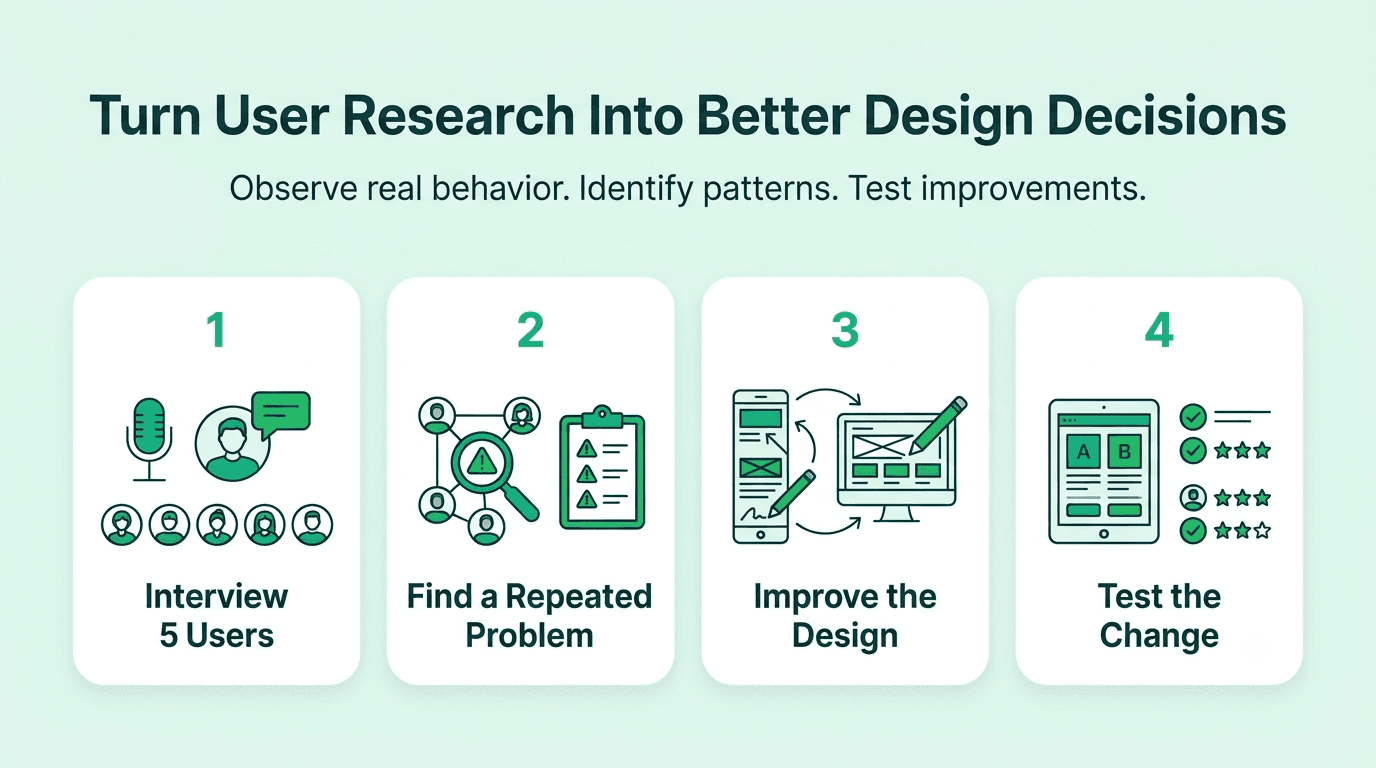
Very important, and it is one of the clearest dividing lines between junior and mid level designers. Even teams without a dedicated researcher expect designers to understand users through real evidence instead of personal taste.
Recruiters like to see experience with:
User interviews and contextual observation
Surveys and basic analysis of the results
Creating personas, journey maps, and empathy maps, and knowing when they are actually useful
Competitive analysis and learning from similar products
Usability testing, both moderated and unmoderated
Reading analytics, heatmaps, and session recordings to spot problems
You do not need a large research budget to show this. A simple story works well: you talked to five users, noticed that three of them got stuck on the same step, changed the design, and saw the problem drop. That one story shows research, judgment, and impact together.
What Do Recruiters Expect for Wireframing and User Flows?
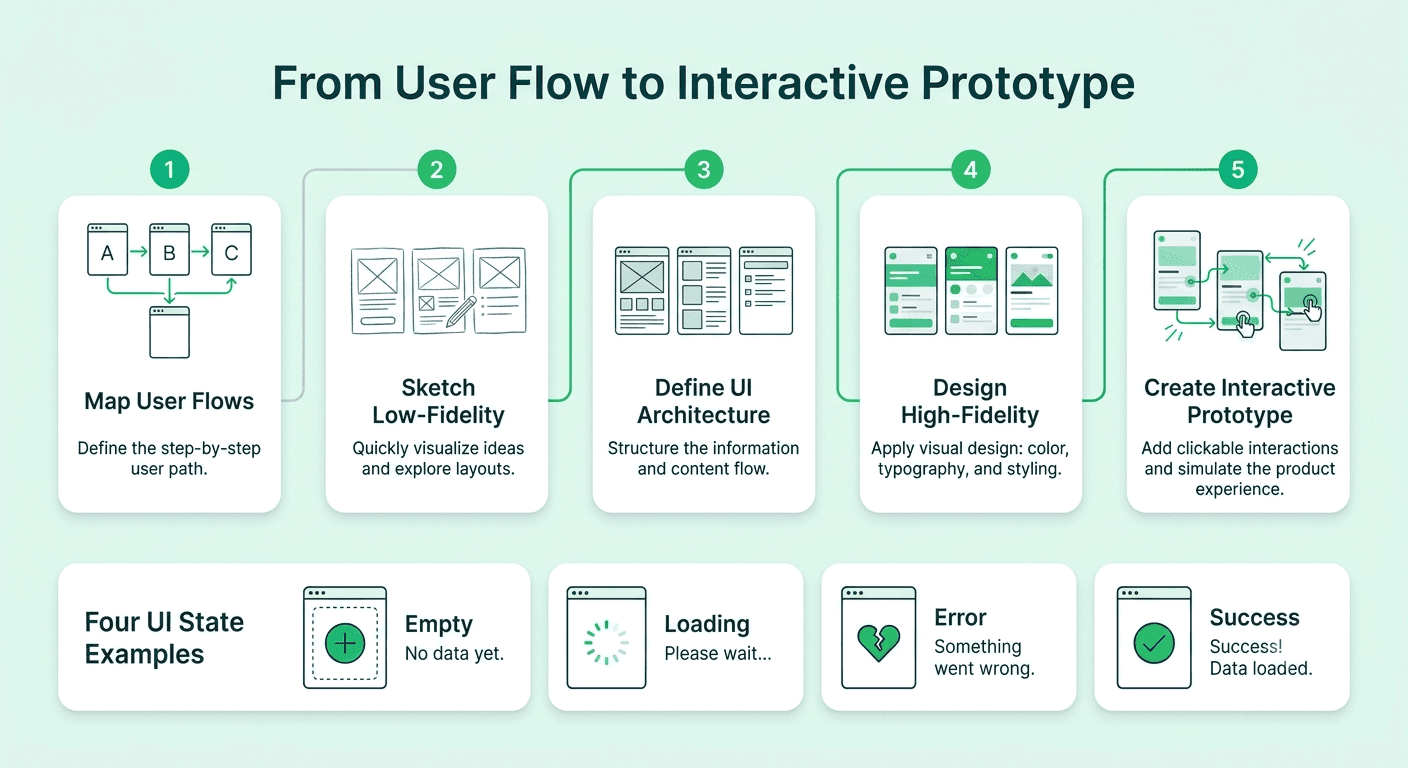
Strong structure is what makes a product feel easy to use, and recruiters want to know you can create it before you add any visual styling.
Skills they look for:
Mapping user flows from entry to goal, including error paths and edge cases
Information architecture, such as organizing navigation, labels, and content so people can find things
Creating low fidelity wireframes quickly to explore several ideas
Designing for different states, such as empty, loading, error, and success
Thinking through mobile, tablet, and desktop behavior
A small habit that impresses interviewers is showing more than one idea. If your case study includes a rough early version, a rejected option, and the reason you chose the final direction, it proves you explore before you decide.
FREE TO USE
8k+ SESSIONS92% FLUENCY4.9★ RATING
Speak With Confidence
Real Conversations. Real Scenarios. Speak until it feels natural.
- Real-Time Speaking Practice
- Guided Conversation Flows
- Instant AI Feedback
How Strong Do Prototyping and Interaction Skills Need to Be?
Strong enough to communicate how something should feel, not only how it looks. Prototypes help teams test ideas before engineers spend weeks building the wrong thing.
Recruiters expect you to know:
Building clickable prototypes in Figma that feel realistic
Basic interaction principles, such as feedback, transitions, and microinteractions
When a simple prototype is enough and when a detailed one is worth the time
Using prototypes in usability tests, not just in presentations
Understanding what is realistic to build, so your ideas can actually ship
Designers who can say, "I tested this prototype with six people and changed the navigation before development started," stand out quickly. It shows you save the team time and money.
Do Visual Design Fundamentals Still Matter?
Absolutely. UI design is still half of the role, and a weak visual foundation is easy for recruiters to spot within seconds of opening a portfolio.
What recruiters look at:
Typography: readable sizes, sensible pairing, and clear hierarchy
Color: purposeful palettes, good contrast, and consistency
Layout and spacing: grids, alignment, and breathing room
Visual hierarchy: guiding the eye to what matters most
Consistency across screens, buttons, forms, and icons
Brand sensitivity, meaning you can adapt your style to a company instead of forcing one look everywhere
You do not need to be an illustrator. You do need to show taste and discipline. Clean, well organized, consistent work beats flashy work almost every time.
Which Design Tools Should You Know in 2026?
Figma is the clear standard, and most recruiters assume you are comfortable in it. Being average in Figma is no longer enough to stand out. Being efficient is.
Useful skills include:
Auto layout, components, variants, and variables
Organizing files so other people can understand them
Collaborating in shared files, leaving clear comments, and handing off work cleanly
Using FigJam or a similar tool for workshops and flow mapping
Basic familiarity with tools for research, prototyping, and developer handoff
Using AI features thoughtfully to speed up routine work, without letting them replace your own judgment
AI tools are now a regular part of interview conversations. Recruiters are not impressed by designers who say AI will do everything, and they are not impressed by designers who refuse to use it either. The best answer is simple: you use it to move faster on routine tasks, and you stay responsible for the thinking, the quality, and the final decisions.
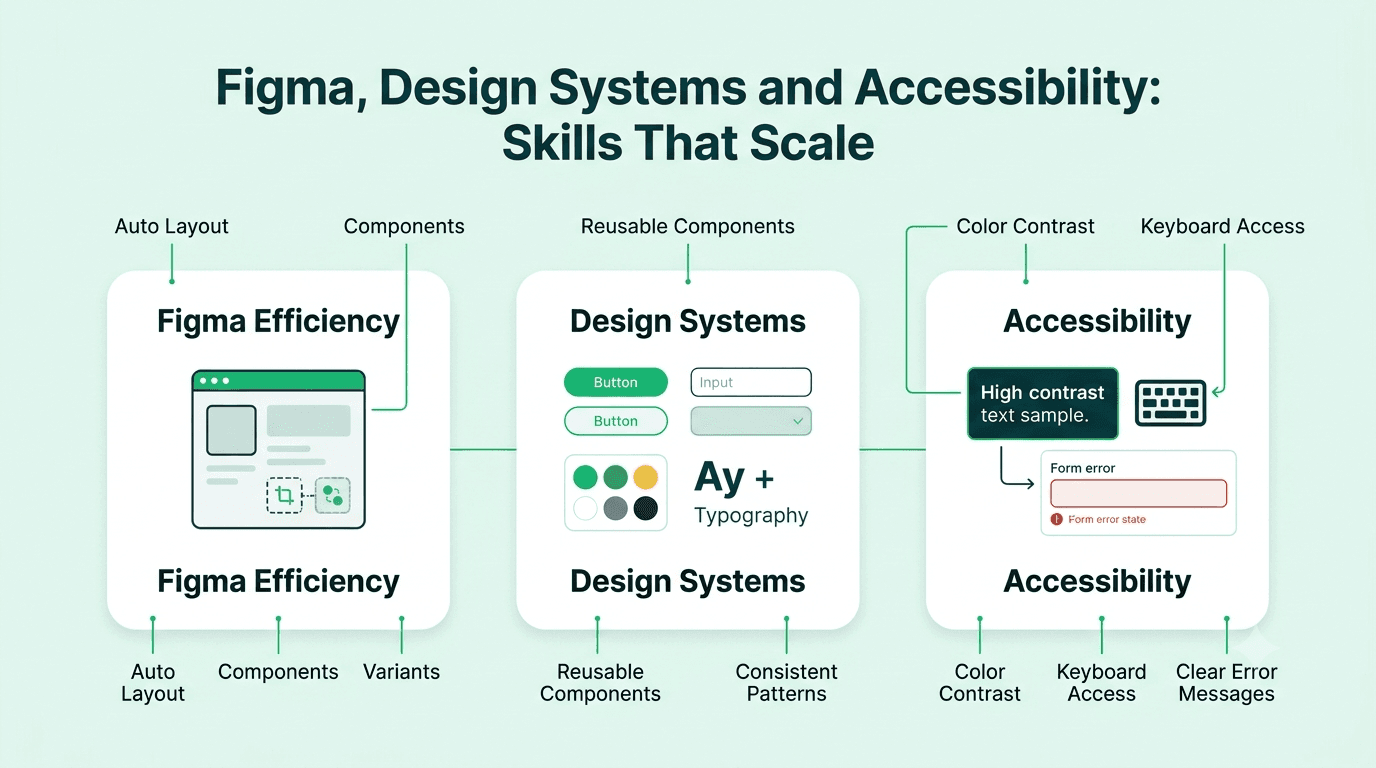
Why Do Design Systems and Accessibility Matter So Much?
Because they are how design scales. A company with dozens of screens and several designers cannot afford inconsistency, and a product that excludes people is both a business risk and a legal risk.
For design systems, recruiters expect you to understand:
Reusable components, styles, and tokens
Naming and documentation that helps others use them correctly
When to follow the system and when to propose a change
How design systems reduce design and development time
For accessibility, expect questions about:
Color contrast and readable text sizes
Designing for keyboard and screen reader users
Clear labels, error messages, and touch target sizes
Basic familiarity with the WCAG guidelines
Designing for different abilities, devices, and situations, not only the perfect case
Mentioning accessibility without being asked is one of the simplest ways to look more senior. It tells the interviewer that you think about every user, not just the typical one.
How Important Are Communication and Collaboration Skills?
This is the skill that quietly decides many offers. Designers work with product managers, engineers, researchers, and leadership every day. Recruiters listen closely for people who can explain their thinking clearly and take feedback well.
Interviewers pay attention to whether you can:
Present a case study in a clear story with a beginning, middle, and end
Explain design decisions in simple language to non designers
Handle critique calmly and use it to improve the work
Work with developers on feasibility and handoff
Push back respectfully when a request does not serve the user
Admit what did not work and what you learned
This matters even more for candidates interviewing in English as a second language. A thoughtful design story that is hard to follow often loses to a simpler story told clearly. Practicing your case study presentation out loud with realistic follow up questions on Mocklingo's AI mock interview tool is one of the quickest ways to improve, and Mocklingo's English communication practice. LLM helps you sound clear and confident while explaining your design thinking
Which Skills Matter Most at Each Experience Level?
Freshers and juniors: Visual design fundamentals, Figma skills, basic user flows and wireframes, and two or three well explained case studies.
Intermediate designers (two to five years): Research and testing, strong problem framing, prototyping, design system usage, and the ability to own a feature from discovery to launch.
Senior and lead designers: Product strategy, stakeholder management, building and governing design systems, mentoring, and measuring the business impact of design work.
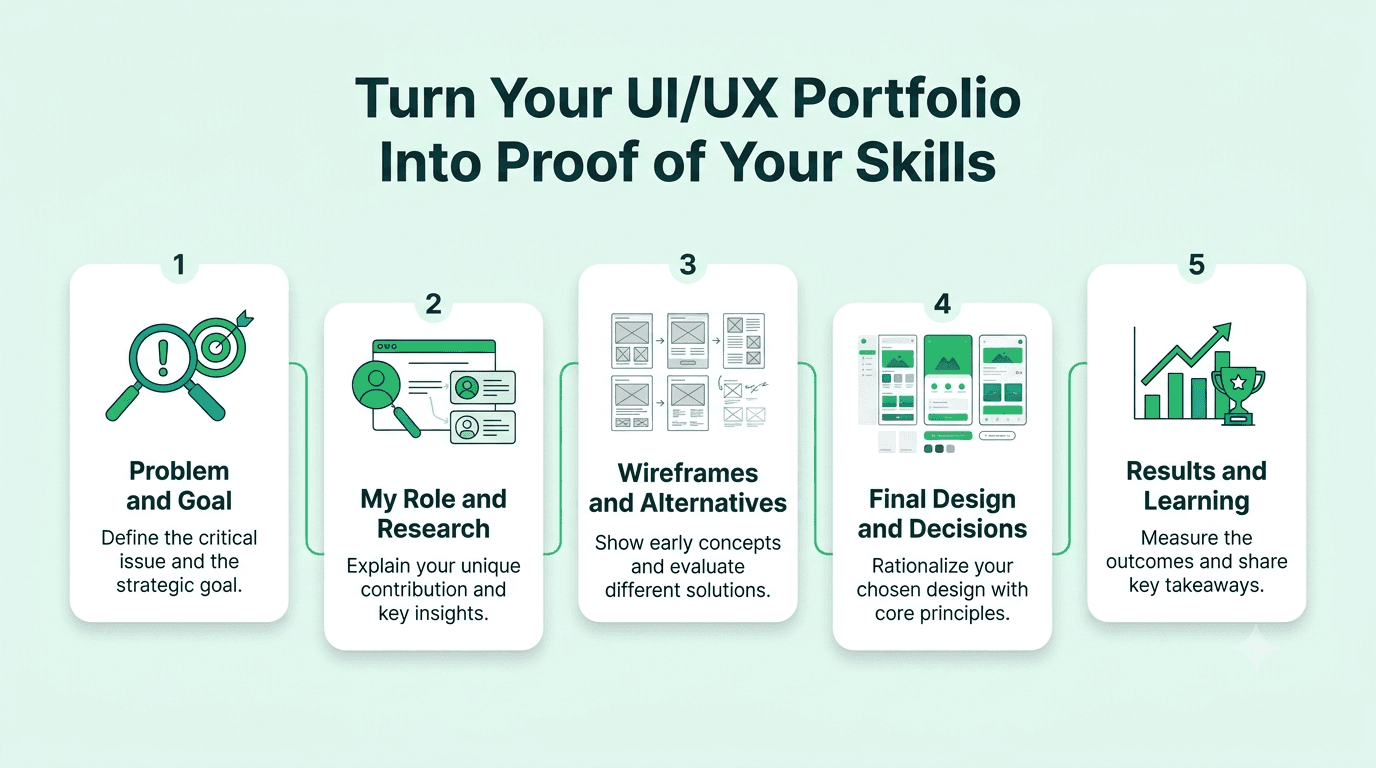
How Can You Prove These Skills in Your Portfolio?
Your portfolio is your main interview, and recruiters often spend only a couple of minutes on it before deciding whether to talk to you. Make every skill easy to see.
Choose two to four strong case studies instead of ten shallow ones.
Start each case study with the problem, your role, the team, and the timeline.
Show your process honestly, including research, rough sketches, and ideas you dropped.
Include results, even small ones, such as improved task completion, fewer support tickets, or better test feedback.
Add a short note on accessibility and how you worked with developers.
Be clear about what you personally did when the project involved a team.
Keep the layout clean, easy to scan, and mobile friendly.
FAQs
More Blogs

Oct 22, 2026
UI/UX Designer Interview Preparation Guide: A Complete Roadmap for 2026
38 min read

