Loading...
Contents
Common React Interview Mistakes to Avoid in 2026
Oct 1, 202618 min readUpdated Oct 3, 2026
The most common React interview mistakes are starting to code before clarifying requirements, misusing hooks and dependency arrays, over optimizing with useMemo and useCallback, ignoring loading, empty, and error states, skipping accessibility, memorizing answers instead of understanding rendering, and explaining decisions poorly out loud. Most of these are fixable in a few weeks of focused practice, and fixing them often matters more than learning another library.
Most React candidates who miss an offer did not fail because they lacked knowledge. They failed because of a handful of avoidable habits that interviewers spot in the first ten minutes. This guide covers the mistakes that cost candidates the most, why interviewers care about each one, and exactly what to do instead.
FREE TO USE
25K+ INTERVIEWS4.8★ RATING68% IMPROVEMENT
Crack Your Dream Job
Real Interviews. Real Pressure. Practice until it feels easy.
- Seamless Interview Experience
- Resume & JD Questions
- Instant Personalized Feedback
What Are the Most Common Mistakes in a React Interview?
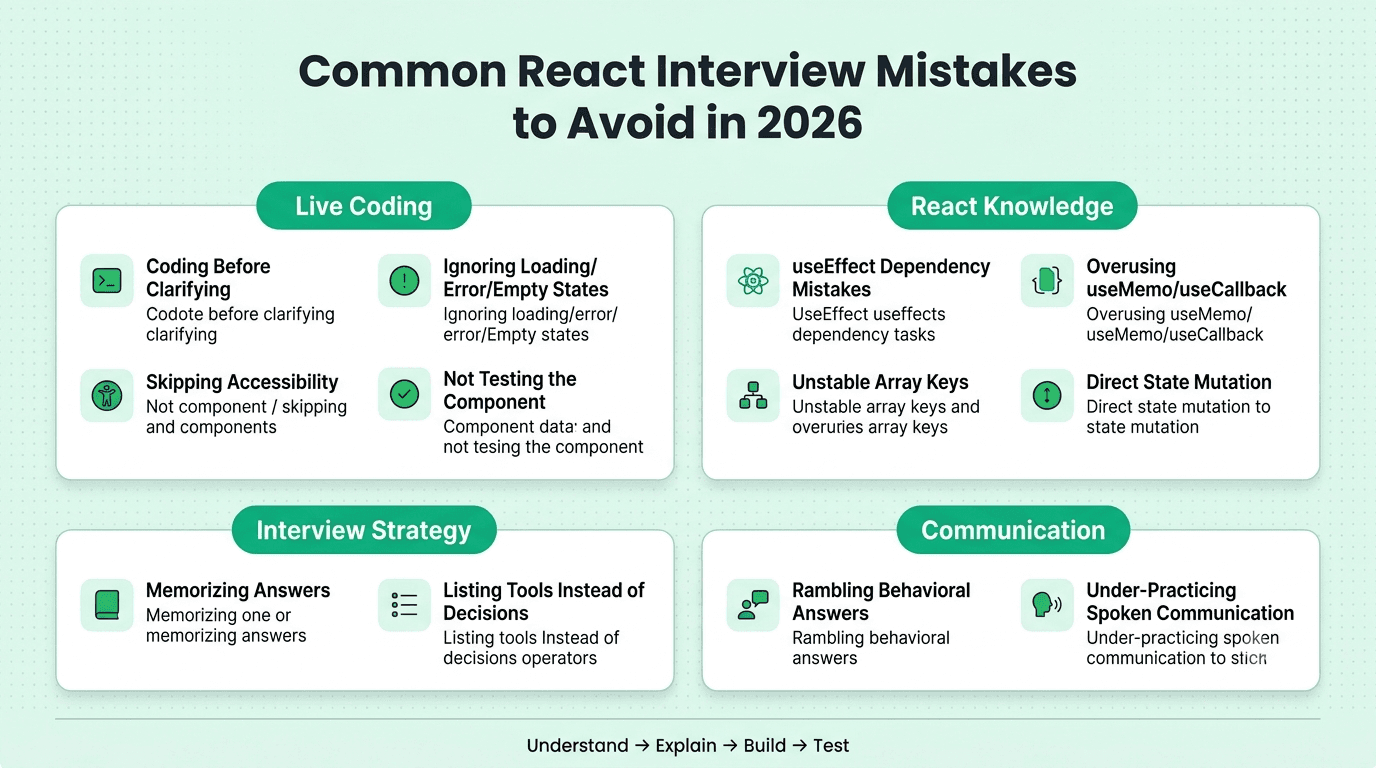
Here is the short list, grouped by where they usually happen:
In live coding rounds:
Starting to code without clarifying the requirements
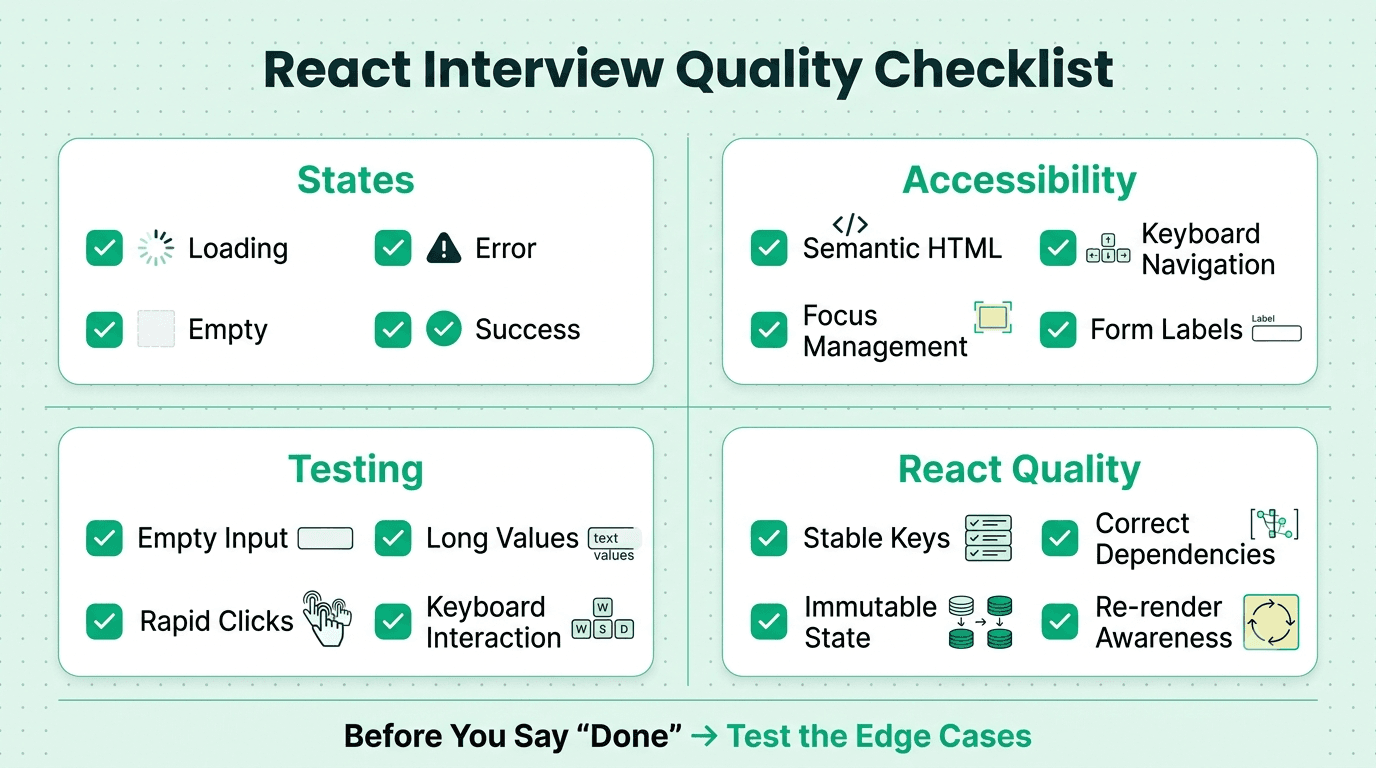
Ignoring loading, empty, and error states
Forgetting keyboard access and semantic HTML
Not testing your own component before saying you are done
In React knowledge questions: 5. Getting useEffect dependency arrays wrong
6. Overusing useMemo and useCallback
7. Using array indexes as keys
8. Mutating state directly
In the overall interview: 9. Memorizing answers instead of understanding rendering
10. Listing tools instead of explaining decisions
11. Rambling in behavioral answers
12. Under practicing spoken communication
Each one is covered below.
Why Is Coding Without Clarifying Requirements Such a Big Mistake?
Because it is the most common one, and interviewers read it as a preview of how you behave on the job. A developer who starts building a vague ticket without asking questions will build the wrong thing.
What it looks like: The interviewer says, "Build a search box that filters a list," and you open the editor immediately.
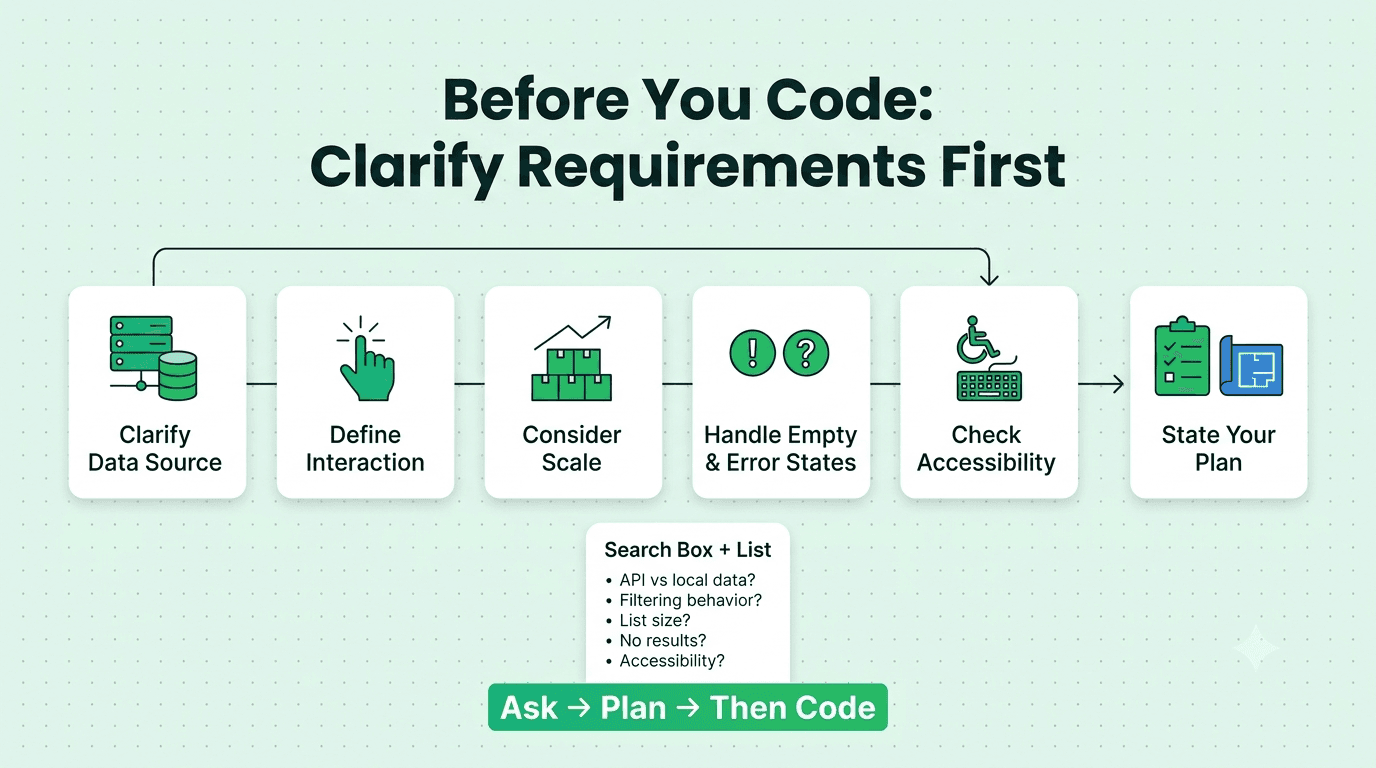
What to do instead: Spend the first two minutes asking questions.
Where does the data come from: a local array or an API?
Should filtering happen on every keystroke or after a pause?
How large could the list get?
What should the user see when there are no results?
Are there accessibility requirements?
Then state your plan in one or two sentences before typing. Interviewers consistently rate this habit as a sign of seniority, even in junior interviews.
Why Do Loading, Empty, and Error States Matter?
Candidates who only build the happy path lose points quickly. Real interfaces spend a lot of time in the other states, and interviewers know it.
What it looks like: A list component that shows nothing while data loads, crashes on an empty array, and silently fails when the request errors.
What to do instead: Handle all four states every time: loading, error, empty, and success. Even a simple line of text for each shows the right instinct. If time is short, say out loud, "I would add a proper error state here," and add a placeholder. Naming the gap is far better than ignoring it.
What Goes Wrong With useEffect and Dependency Arrays?
This is the most common technical mistake in React interviews, and the one that exposes shallow understanding fastest.
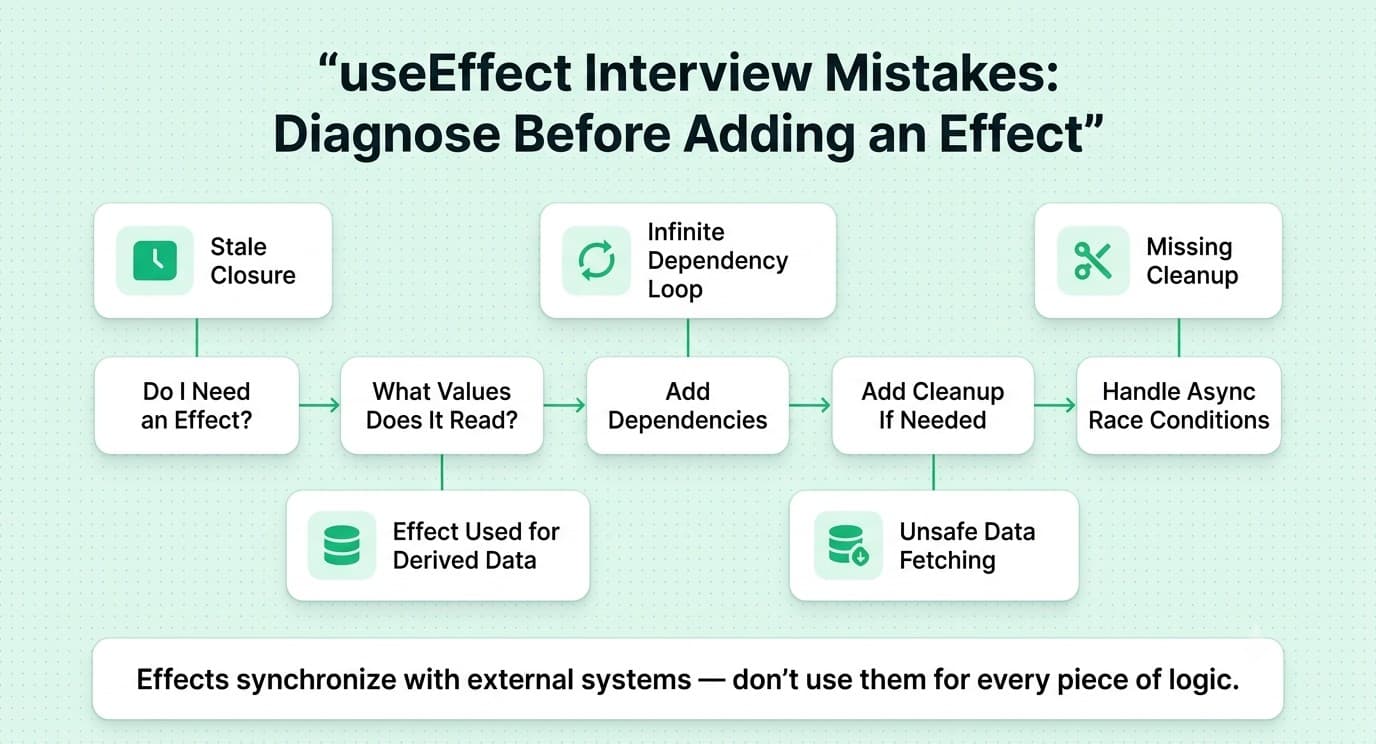
Common errors:
Leaving out a dependency and creating a stale closure
Adding an object or function to the array that changes on every render, causing an infinite loop
Forgetting a cleanup function for subscriptions, timers, or event listeners
Using useEffect for logic that belongs in an event handler
Fetching data in an effect without handling race conditions
What to do instead: Before writing an effect, ask whether you need one at all. Many effects exist only to derive values that could be calculated during render. When you do need one, list every value it reads, include them all, and add cleanup where relevant. For data fetching, mention that a library like React Query handles caching and race conditions for you.
FREE TO USE
8k+ SESSIONS92% FLUENCY4.9★ RATING
Speak With Confidence
Real Conversations. Real Scenarios. Speak until it feels natural.
- Real-Time Speaking Practice
- Guided Conversation Flows
- Instant AI Feedback
Is It Bad to Use useMemo and useCallback Everywhere?
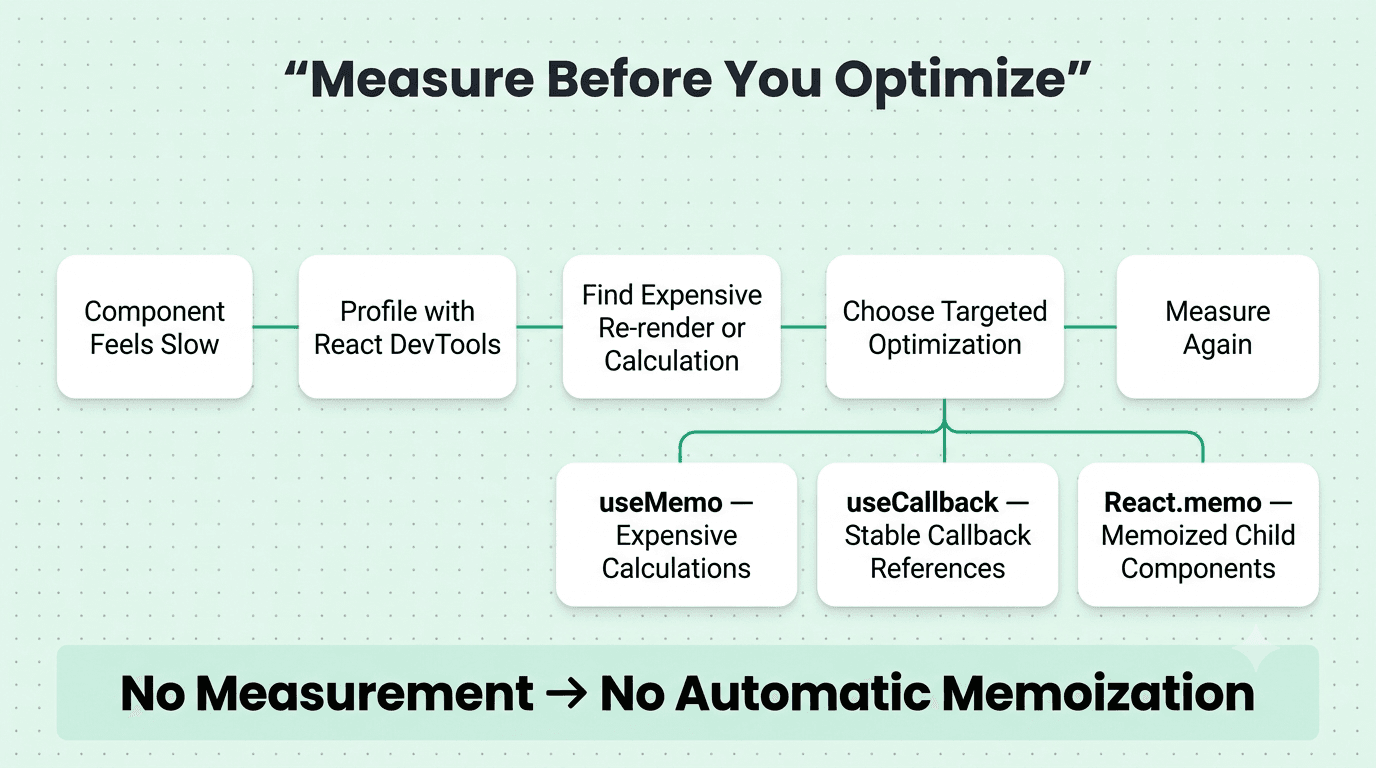
Yes, and interviewers notice. Wrapping everything in memoization looks like memorized advice, not understanding.
Why it backfires: Memoization has a cost. It adds code, adds comparison work, and often achieves nothing if the component was not slow to begin with.
What to do instead: Say this sentence in the interview: "I would measure first with the React DevTools Profiler, and only memoize where re-renders are actually expensive." Then explain when memoization does help: passing callbacks to memoized children, expensive calculations, and stable references for dependency arrays.
Why Are Array Indexes as Keys a Red Flag?
Using the index as a key seems harmless until the list can be reordered, filtered, or edited. Then state gets attached to the wrong items and bugs appear that are hard to trace.
What to do instead: Use a stable, unique ID from the data. If someone asks why, explain that React uses keys to match items between renders, so unstable keys cause incorrect updates or lost input state. Indexes are acceptable only for static lists that never change.
What Happens When You Mutate State Directly?
Direct mutation, such as pushing to an array in state or changing an object property, means React may not detect the change, so the interface does not update as expected.
What to do instead: Always create a new copy: use spread syntax, map, filter, or a library like Immer. If you can explain why immutability matters for change detection, you have answered the underlying question interviewers care about.
What Accessibility Mistakes Cost Candidates Points?
Accessibility used to be a bonus. Now it appears in technical rounds and often decides close calls.
Common mistakes:
Using a clickable div instead of a button
Building dropdowns and modals that cannot be used with a keyboard
Removing focus outlines without replacing them
Missing labels on form inputs
Overusing ARIA when semantic HTML would work
What to do instead: Use the right HTML element first. Then mention keyboard support unprompted while you build. Something as short as "I will make sure this closes on Escape and returns focus to the trigger" leaves a strong impression.
Why Is Not Testing Your Own Component a Mistake?
Saying "done" without checking your work signals carelessness. Interviewers often have edge cases prepared, and if they find the bug before you do, it costs you.
What to do instead: Before announcing you are finished, spend one minute clicking through the component. Try an empty input, a very long value, rapid clicks, and keyboard navigation. If you find a bug, fix it calmly. Catching your own bug is a positive signal, not a negative one.
Is Memorizing Answers Really a Problem?
Yes. Interviewers know the common questions and deliberately tweak them. Ask "what is the virtual DOM?" and a memorized definition works. Follow up with "why would this component re-render if its props did not change?" and a memorized answer collapses.
What to do instead: Practice explaining concepts in your own words and applying them to small examples. For every concept, be able to answer three things: what it is, why it exists, and when it goes wrong.
Why Is Listing Tools Weaker Than Explaining Decisions?
"I used Redux" tells the interviewer nothing. "I used Redux Toolkit because five unrelated components needed the same cart data, and Context caused unnecessary re-renders" tells them you can make and defend a decision.
What to do instead: For every tool on your resume, prepare one sentence covering why you chose it and one alternative you considered.
How Do Rambling Behavioral Answers Hurt You?
Long, unstructured stories lose the interviewer within a minute, and the point of the story gets buried.
What to do instead: Use the STAR method: Situation, Task, Action, Result. Keep each answer under two minutes and end with a measurable outcome. Prepare five or six stories in advance, covering a performance problem you fixed, a disagreement with a designer, a mistake you made, and a time you influenced a decision.
Why Does Poor Spoken Communication Cost So Many Offers?
Because interviews are spoken, and many candidates practice only silently. You can know the material and still lose points if your explanation is disorganized, too fast, or full of long pauses and filler words. This affects everyone under pressure, and it is especially common for candidates interviewing in English as a second language.
What to do instead: Practice answering out loud, not just reading answers. Record yourself explaining a component decision in ninety seconds and listen back. Run full mock interviews with realistic follow up questions on Mocklingo's AI mock interview tool, and use Mocklingo's English communication practice to build calm, clear delivery when explaining technical trade offs.
How Can You Fix These Mistakes Before Your Interview?
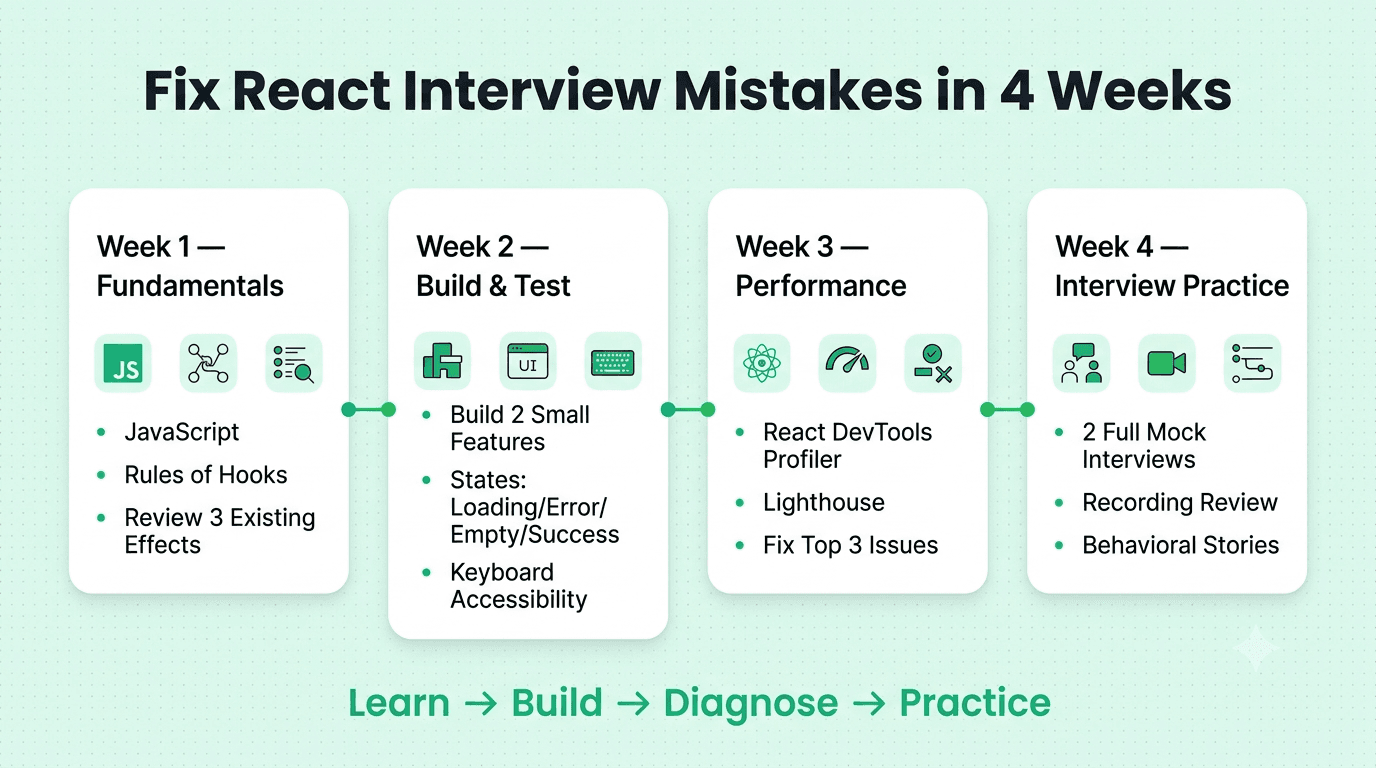
A simple four week plan works well:
Week one: Review JavaScript fundamentals and the rules of hooks, and rewrite three effects you have written before to check their dependency arrays.
Week two: Build two small features with all four states handled and keyboard support added.
Week three: Profile an old project with React DevTools and Lighthouse, then fix the top three issues and write down what you learned.
Week four: Run at least two full mock interviews, review your recordings, and tighten your behavioral stories
Ready to fix these habits before the real interview? Mocklingo offers AI powered mock interviews and English communication coaching designed to help you practice out loud and get feedback on both content and delivery.
FAQs
More Blogs
Sep 30, 2026
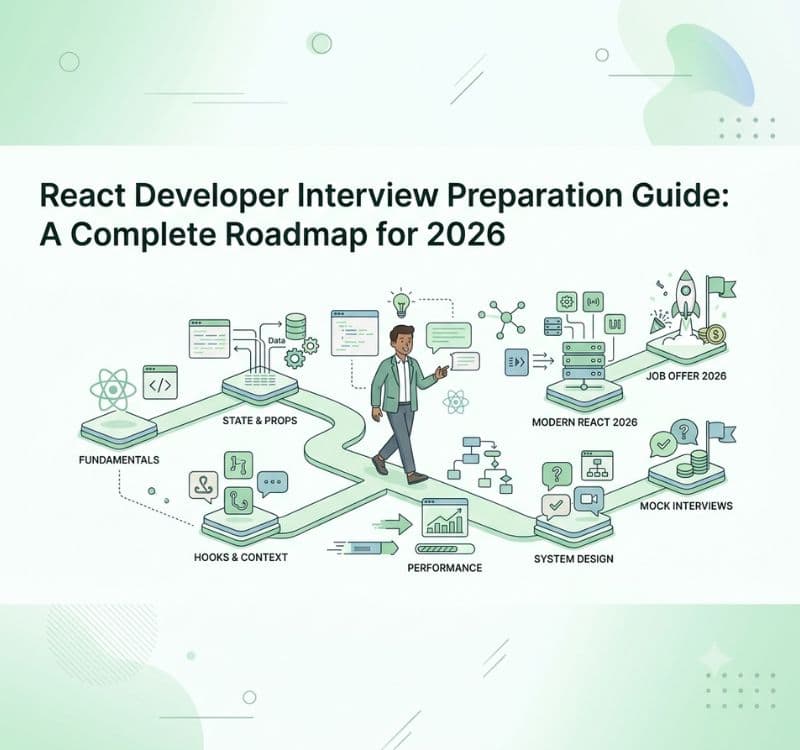
React Developer Interview Preparation Guide: A Complete Roadmap for 2026
31 min read