Loading...
Contents
React Developer Interview Preparation Guide: A Complete Roadmap for 2026
Sep 30, 202631 min readUpdated Oct 2, 2026
To prepare for a React developer interview, focus on five pillars: strong JavaScript and TypeScript fundamentals, deep understanding of how React renders and updates, fluency with hooks and state management, awareness of performance and accessibility, and clear verbal communication for explaining your component decisions. Most interview loops include a resume screen, a JavaScript or live coding round, a React specific technical round, a frontend design round for experienced candidates, and a final hiring manager round. Candidates who can explain why a component re-renders, not just fix it, consistently stand out.
If you are preparing for a React developer interview, you already know that building a component is the easy part. Interviewers want to see that you understand what React is doing under the hood, how to structure state so an app stays maintainable, and how to keep an interface fast and accessible as it grows. This guide covers everything you need, whether you are a fresher applying for your first React role or an experienced engineer targeting a senior or lead position.
FREE TO USE
25K+ INTERVIEWS4.8★ RATING68% IMPROVEMENT
Crack Your Dream Job
Real Interviews. Real Pressure. Practice until it feels easy.
- Seamless Interview Experience
- Resume & JD Questions
- Instant Personalized Feedback
Section 1: Introduction to the React Developer Interview Process
React interviews test three things together: JavaScript and TypeScript fundamentals, React specific depth, and the judgment to make sound decisions about state, structure, and performance. A candidate who can build a polished UI but cannot explain the rules of hooks will struggle just as much as someone with strong theory who cannot build a working feature under time pressure.
Most processes run three to five rounds over two to five weeks. Larger companies typically separate a JavaScript round from a React round and a frontend design round. Startups often combine these into fewer, broader conversations, sometimes with a take-home task that mirrors a real feature from the product.
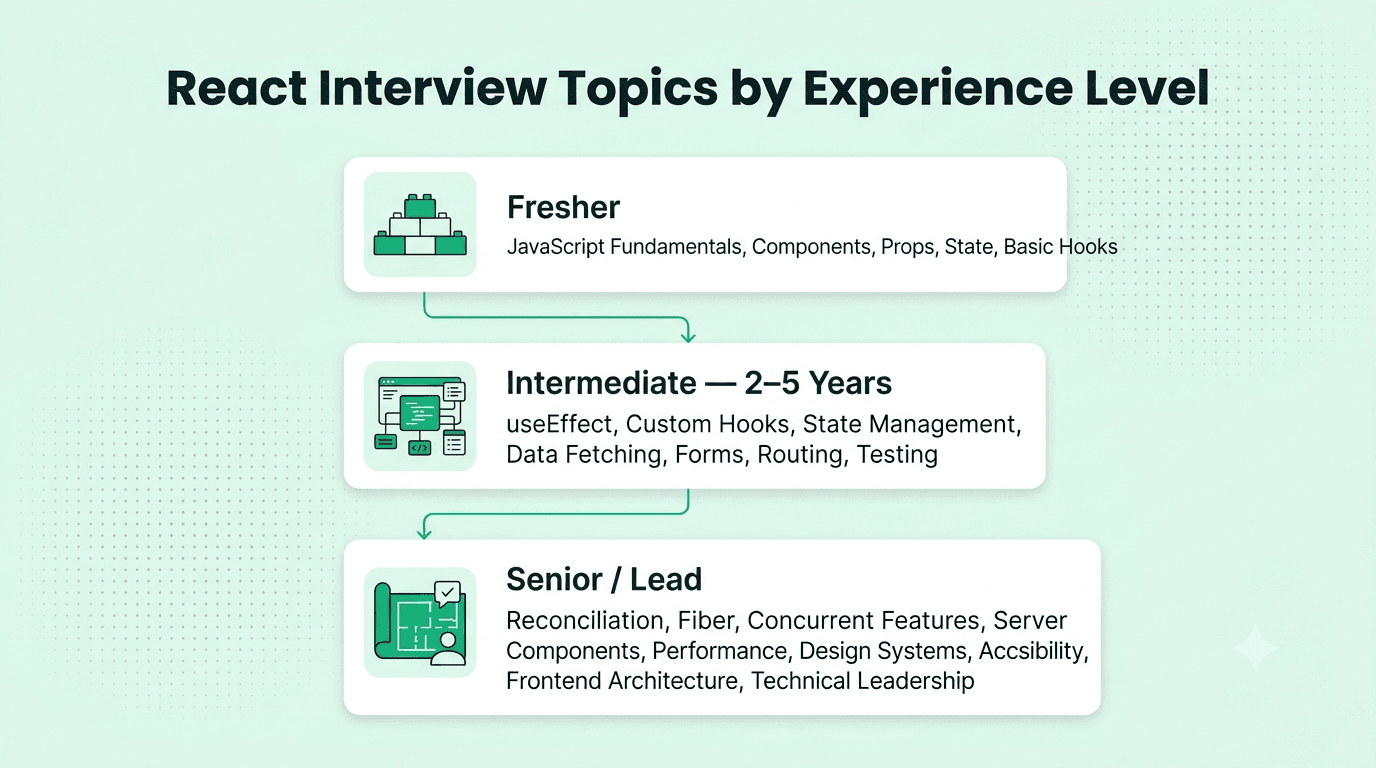
What changes with experience is depth and scope, not the topic list itself.
Freshers are tested on JavaScript fundamentals, components, props, state, and basic hooks.
Intermediate candidates (two to five years) are expected to build a feature end to end, choose a state management approach, and debug rendering or performance issues.
Experienced professionals are evaluated on frontend architecture, performance strategy, design systems, mentoring, and how they have shaped technical direction on past teams.
Section 2: What Recruiters and Hiring Managers Look For
Recruiters and interviewers want to know whether you will build interfaces that are fast, accessible, and easy for a team to maintain.
Core skills recruiters expect:
JavaScript and TypeScript fundamentals. Closures, the event loop, promises, async and await, and comfort reading and writing typed component props.
React core concepts. Components, props, state, the virtual DOM, reconciliation, keys, and controlled versus uncontrolled inputs.
Hooks fluency. useState, useEffect, useRef, useMemo, useCallback, and custom hooks, including the common mistakes with dependency arrays.
State management. Knowing when local state is enough and when to reach for Context, Redux Toolkit, Zustand, or a data fetching library like React Query.
Performance awareness. Memoization, code splitting, lazy loading, and list virtualization, plus knowing when optimization is unnecessary.
Testing and accessibility. Component testing with React Testing Library, and semantic HTML, keyboard navigation, and ARIA basics.
Communication. The ability to explain a design decision clearly, especially in live coding rounds where interviewers grade your reasoning as much as your syntax.
Hiring managers also watch for quieter signals: Do you handle loading, empty, and error states without being asked? Do you keep components small and reusable? Do you take feedback on your implementation gracefully?
Section 3: Resume and Portfolio Preparation
For React roles, your portfolio is often reviewed before the resume is read closely, since your work is visible and easy to evaluate.
Lead with outcomes, not just tools. Instead of listing "React, Redux, Tailwind," describe what you built: "Rebuilt the dashboard in React with code splitting, cutting initial load time by 40 percent."
Keep two or three strong projects that are deployed and live, with real interactivity such as data fetching, forms with validation, and routing, not only static pages.
Include a clean GitHub repository with a clear README explaining your component structure and why you chose a particular state approach.
Avoid tutorial clones without a twist. A generic to-do app or a straight clone of a popular site stands out far less than a smaller project solving a specific interface problem.
Quantify wherever possible: Lighthouse score improvements, bundle size reductions, or engagement metrics tied to a UI change you shipped.
Section 4: Core Topics to Study, Ranked by Interview Importance
Fundamental Concepts (asked in almost every interview)
JavaScript fundamentals: closures, this, hoisting, and the event loop
JSX and how it compiles to function calls
Components, props, and one way data flow
State and re-rendering: what triggers a render and what does not
Lists and keys, and why unstable keys cause bugs
Conditional rendering and handling events
Basic hooks: useState and useEffect
Intermediate Concepts (common at two to five years experience)
useEffect dependency arrays, cleanup functions, and avoiding stale closures
useRef, useMemo, useCallback, and when memoization actually helps
Custom hooks and extracting reusable logic
State management: Context API trade offs, Redux Toolkit, and Zustand
Data fetching with loading, error, and caching states, often through React Query or SWR
Forms and validation, including controlled components and libraries like React Hook Form
Routing with React Router and protecting routes
Testing components with Jest or Vitest and React Testing Library
Advanced Concepts (senior and lead roles)
How reconciliation and the fiber architecture decide what updates
Concurrent features: transitions, Suspense, and how they shape perceived performance
Server components and rendering strategies: client side rendering, server side rendering, and static generation with frameworks like Next.js
Performance profiling with React DevTools and Core Web Vitals
Design systems and building a shared component library across teams
Advanced accessibility: focus management and complex ARIA patterns
Frontend architecture: folder structure, module boundaries, and monorepo tooling
Technical leadership: setting standards, leading code reviews, and guiding framework or tooling migrations
Scenario Based Preparation Tips
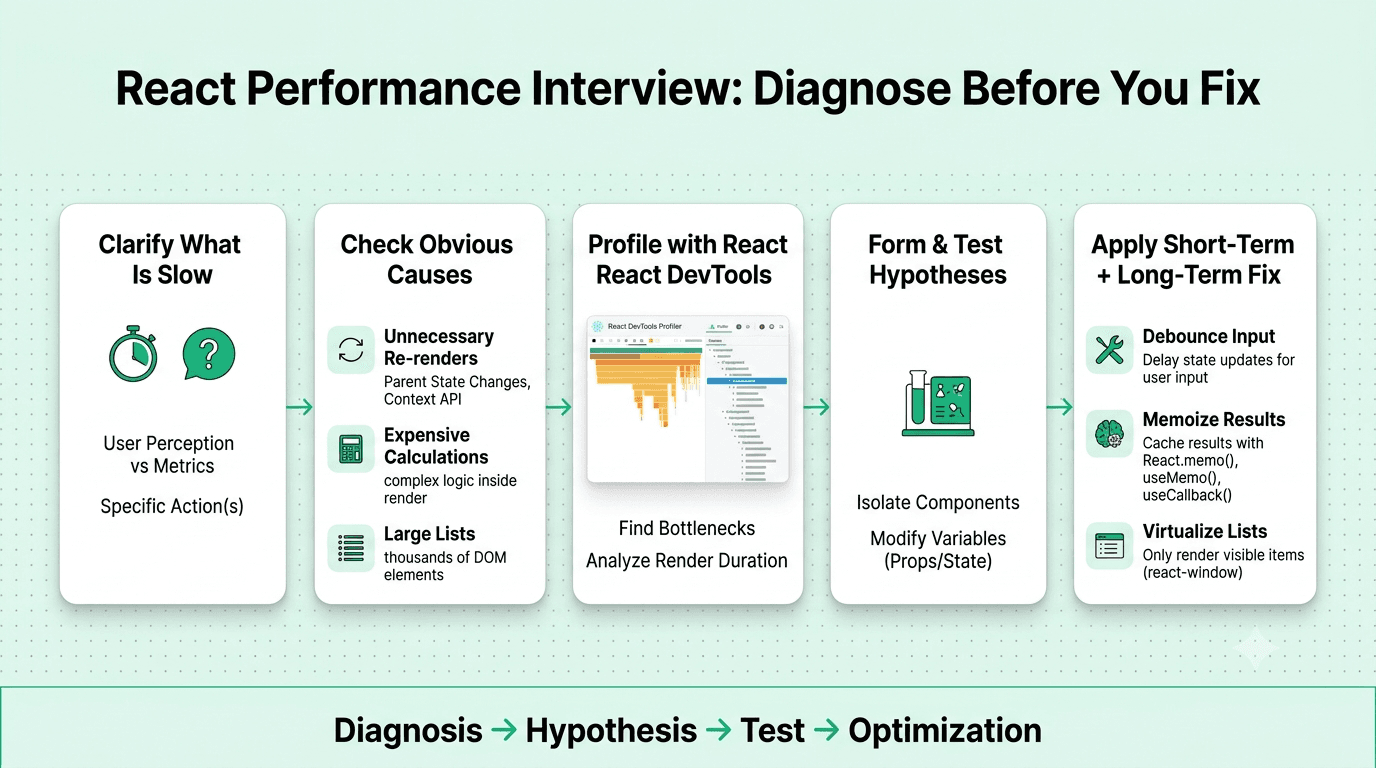
Interviewers often ask, "this list page feels slow when users type in the search box, how would you investigate this." Practice a repeatable framework:
Clarify what "slow" means: typing lag, slow initial load, or slow scrolling.
Check the obvious first: unnecessary re-renders, expensive calculations on every keystroke, or a very large list.
Narrow it down with React DevTools Profiler to see which components re-render and why.
Form two or three hypotheses, such as filtering the whole list on every keystroke, and explain how you would test each.
Propose a short term fix, like debouncing the input or memoizing the filtered results, and a longer term one, like virtualizing the list.
This structure shows debugging maturity, which interviewers value more than guessing the exact cause immediately.
Practical Preparation Exercises
Build a small feature such as a searchable, paginated list with loading and error states within a fixed two hour window.
Build a custom hook, like a debounced value or a data fetching hook, and explain its dependency choices out loud.
Run one of your old projects through the React DevTools Profiler and Lighthouse, then fix the top three issues they reveal.
Rebuild a modal or a dropdown that works fully with the keyboard and a screen reader.
Time yourself solving three medium level JavaScript problems in forty five minutes to simulate a real technical screen.
Common Machine Coding Style Tasks
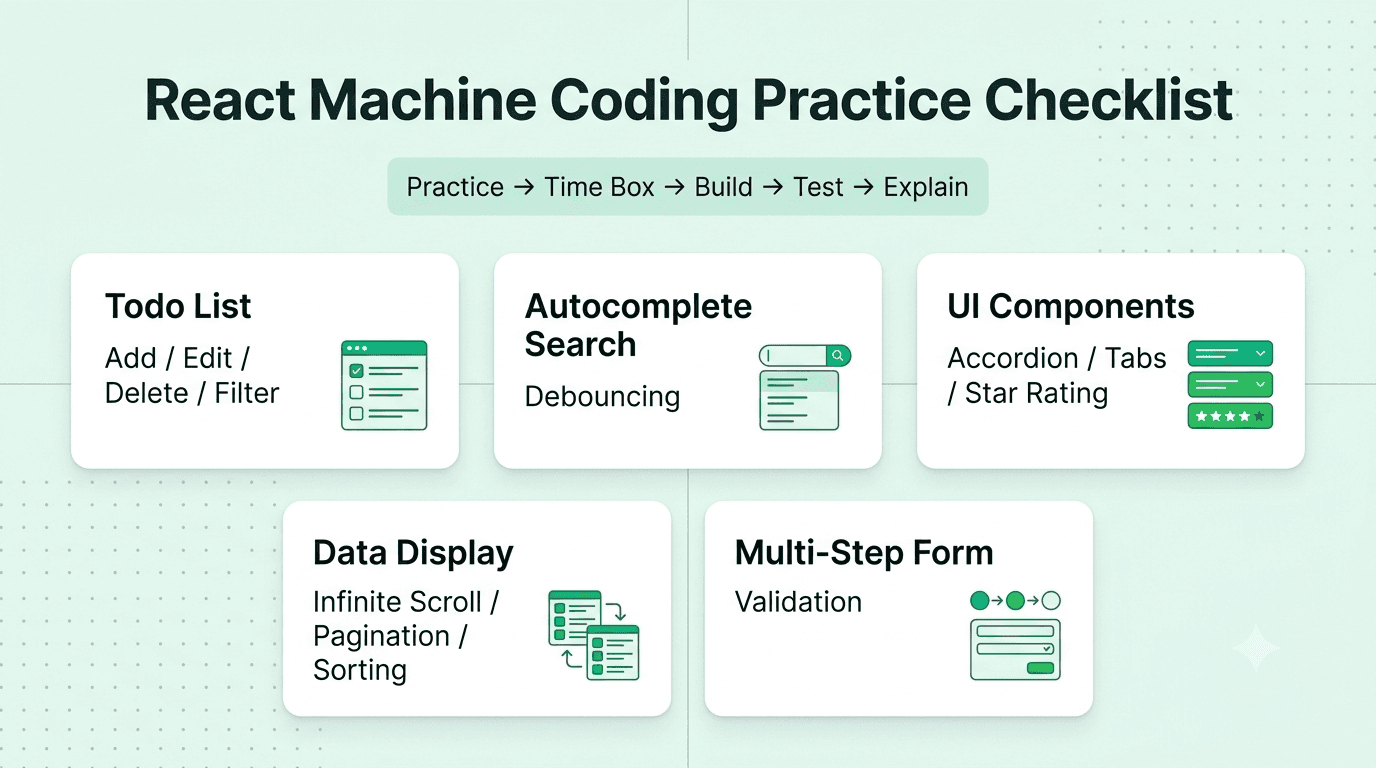
Many React interviews include a short build task. Practice these until you can finish them cleanly in thirty to forty five minutes:
Todo list with add, edit, delete, and filter
Autocomplete search box with debouncing
Accordion, tabs, or star rating component
Infinite scroll or paginated table with sorting
Multi step form with validation
FREE TO USE
8k+ SESSIONS92% FLUENCY4.9★ RATING
Speak With Confidence
Real Conversations. Real Scenarios. Speak until it feels natural.
- Real-Time Speaking Practice
- Guided Conversation Flows
- Instant AI Feedback
Section 5: Common Interview Rounds
Resume and application screen Recruiters look for relevant React experience, clear project descriptions, and live demos. Vague bullet points like "worked on React apps" rarely survive this stage at competitive companies.
JavaScript or online assessment round A timed test on a platform like CoderPad or HackerRank covering JavaScript fundamentals, closures, async behavior, and sometimes small utility functions such as debounce or deep clone.
React technical round A live coding or pairing session where you build or debug a component, often involving hooks, state, and an API call, while explaining your reasoning aloud.
Frontend design round For intermediate and senior roles, you may design the component architecture for a complex feature, such as a data table or a chat interface, discussing state placement, reusability, and performance.
Hiring manager or behavioral round Focused on past experience, collaboration with designers and backend engineers, and how you handled ambiguity or conflicting feedback.
Final round or team round Often includes a walkthrough of a past project or another pairing session to assess technical fit and working style.
Section 6: Behavioral and Situational Interview Preparation
Behavioral rounds often decide close calls between candidates with similar technical scores, and React roles especially value collaboration with design and product.
Use the STAR method: Situation, Task, Action, Result. Keep each story under two minutes and end with a clear outcome.
Prepare five to six core stories covering a performance problem you fixed, a disagreement with a designer over feasibility, a bug you caused and resolved, a time you pushed back on scope, and a time you influenced a technical decision without formal authority.
Be honest about failures. Interviewers care more about what you learned and changed than a flawless record.
Practice explaining trade offs. "I kept this state local instead of adding Redux because only two components needed it" shows judgment that a results only answer does not.
Section 7: How to Answer Confidently
Think out loud during coding rounds. Silence hides the reasoning interviewers are grading.
Ask clarifying questions before building. Confirm expected behavior, edge cases like empty and error states, and accessibility needs.
Pause before deeper questions. A brief pause to structure your answer on rendering or state design reads as thoughtfulness, not hesitation.
State assumptions explicitly. "I am assuming this list could grow very large, so I will keep virtualization in mind" shows structured thinking.
Rehearse out loud, not just in code. Many strong React developers lose points because their spoken explanation of a design choice is disorganized under pressure. Practicing full mock interviews with realistic follow up questions on Mocklingo's AI mock interview tool closes this gap faster than solo practice, and structured speaking practice with Mocklingo's English communication coaching helps you explain technical trade offs more clearly and calmly.
Section 8: Mistakes to Avoid
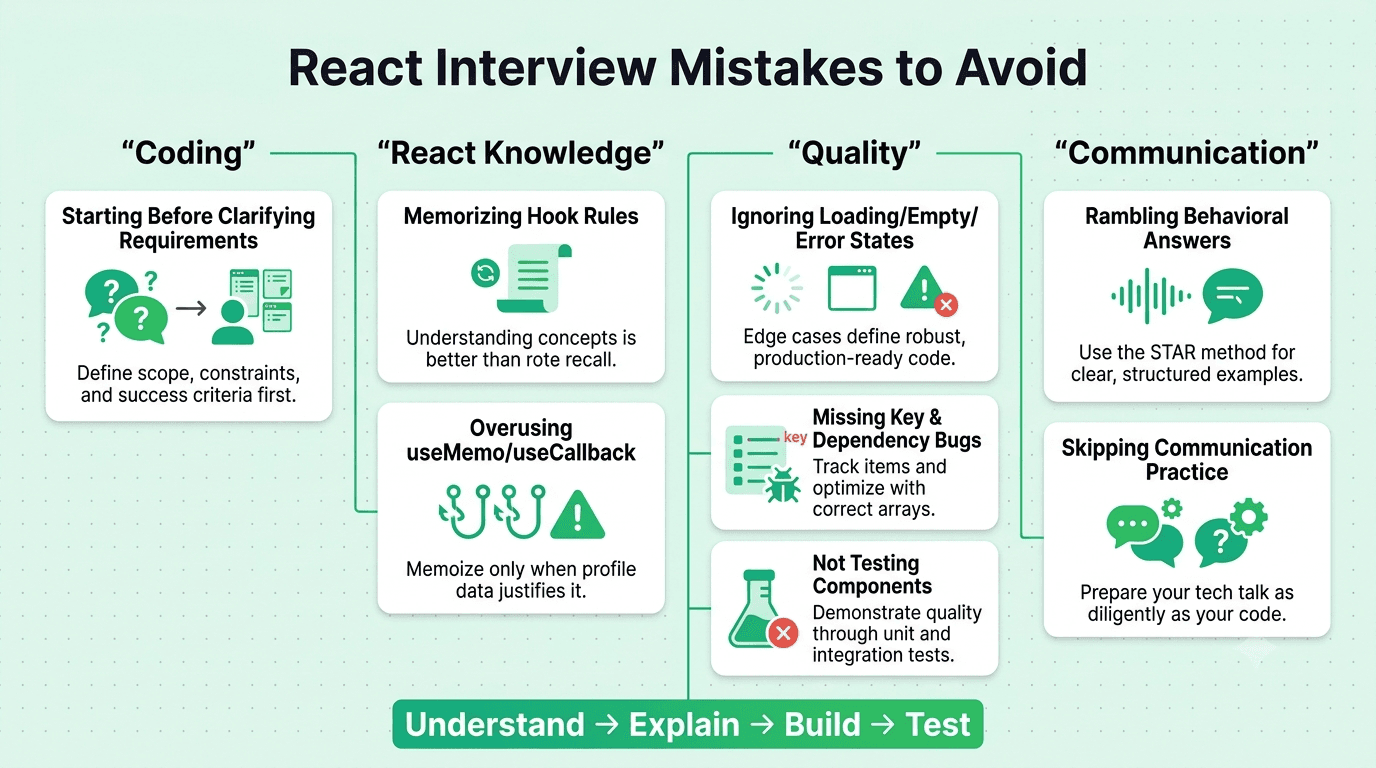
Starting to code before clarifying requirements. This is one of the most common mistakes in live coding rounds.
Memorizing hook rules without understanding them. Interviewers tweak a familiar problem, and memorized answers collapse.
Overusing useMemo and useCallback. Wrapping everything in memoization without measuring shows shallow understanding.
Ignoring the happy path only trap. Skipping loading, empty, and error states, or keyboard access, costs points.
Missing key and dependency array bugs. Using array indexes as keys or leaving out effect dependencies are classic red flags.
Rambling in behavioral answers. Stick to STAR and stay under two minutes.
Skipping communication practice. Especially for candidates interviewing in a second language, under practiced spoken delivery is a bigger risk than under practiced syntax.
Not testing your own component. Clicking through your work and checking edge cases before saying you are done signals discipline.
Section 9: Best Practices
Keep a running list of quantified project outcomes and technical decisions, updated continuously, not only before interviews.
Practice JavaScript fundamentals and React questions weekly, rather than over preparing one side.
Time box your machine coding practice to thirty to forty five minutes to match real conditions.
Study the target company's product and note any UI or performance details worth mentioning.
Learn the framework the company uses, whether that is plain React, Next.js, or Remix, since questions often follow the stack.
Do at least two full mock interviews before the real one, ideally with feedback on delivery as well as content.
Section 10: Final Interview Day Checklist
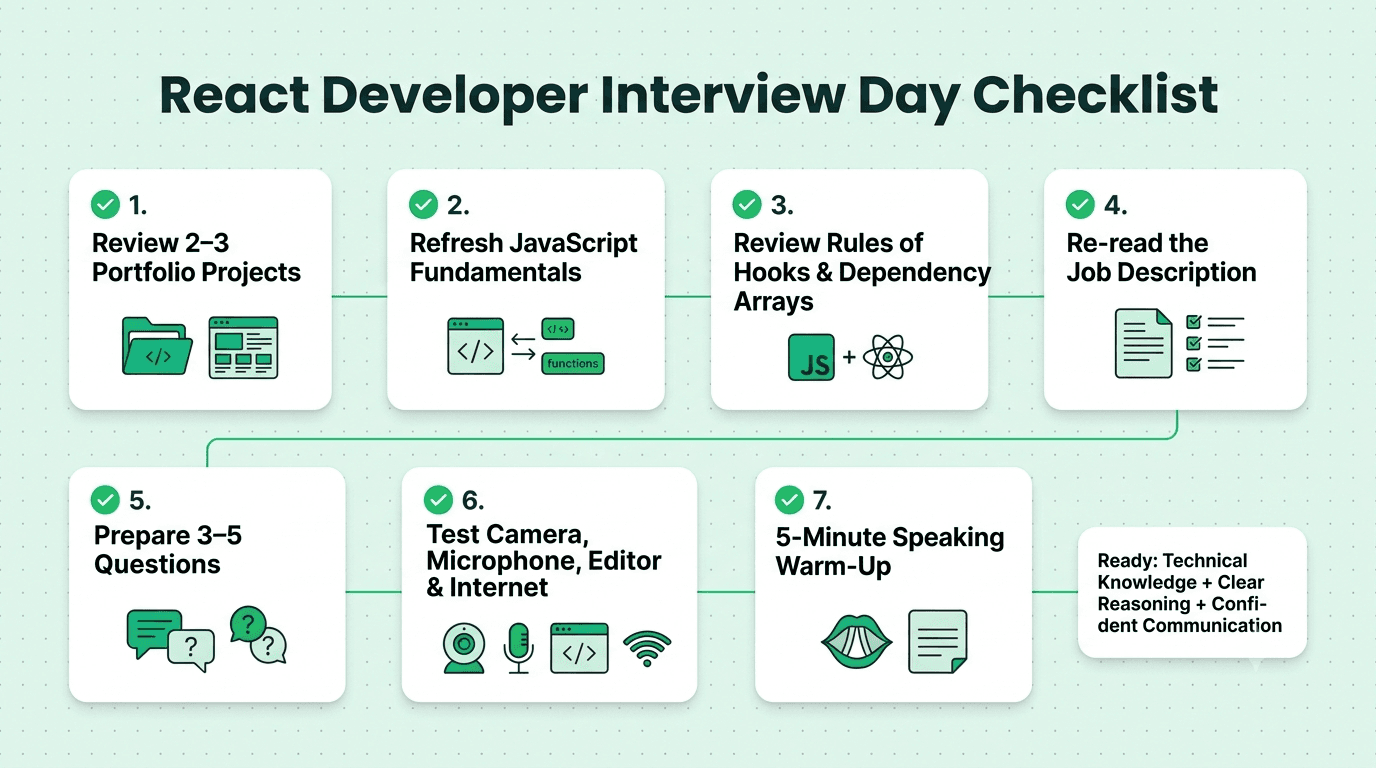
Review two or three portfolio projects and be ready to explain each architecture in under two minutes.
Refresh closures, the event loop, and async behavior.
Revisit the rules of hooks and common dependency array pitfalls.
Re-read the job description and note two or three tools to emphasize.
Prepare three to five thoughtful questions about the frontend stack, design collaboration, and testing practices.
Test your camera, microphone, editor, and internet connection if the interview is remote.
Do a five minute warm up: explain one project out loud before the call starts.
Section 11: Industry Trends Shaping React Developer Interviews in 2026
React Server Components and frameworks like Next.js are increasingly standard, so interviews often go beyond pure client side React.
TypeScript is close to a baseline expectation for most React roles, with typed props and hooks expected.
Data fetching libraries like React Query are common, and interviewers ask when to use them instead of hand written effects.
Performance and Core Web Vitals are baseline knowledge, not a specialty.
AI assisted coding tools are part of the conversation. Interviewers ask how you use them while still expecting you to understand and validate the code.
Accessibility is tested more directly, with keyboard and ARIA questions appearing in technical rounds.
Preparing for your next React developer interview? Practicing out loud with realistic follow up questions is one of the fastest ways to close the gap between knowing the material and performing well under pressure.